
Industry · Warehouse & logistics
Warehouse management software that gets used on the floor – not just in the office.
Book goods receipt, transfers, withdrawals and stocktakes by barcode scan – at the rack, not at a desk. No ERP project, no months of rollout, up and running in minutes.
Goods receipt · Storage locations · Minimum stock · Batches · Stocktaking
In short
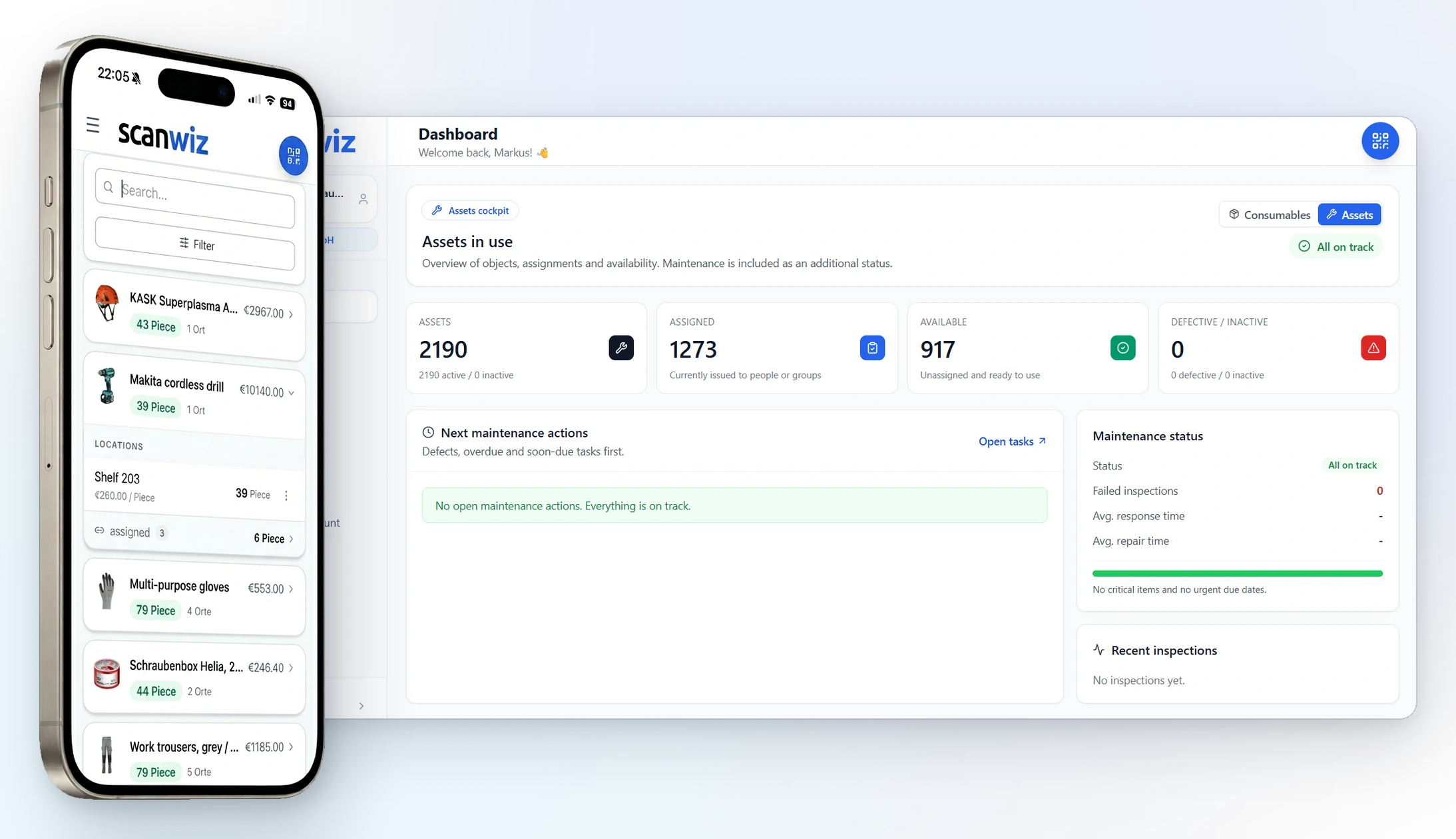
Warehouse management software keeps, for every item, the stock level, the storage location and every movement – goods receipt, transfer, withdrawal, stocktake. In Scanwiz that booking is created by a scan at the rack, on a phone, a tablet or the handheld scanner you already own. The stock updates itself as people work, instead of being maintained in a spreadsheet in the evening. Where an ERP is too big and Excel too little, that is exactly the gap this fills.
The difference
An end to the stock figure nobody trusts.
Less searching, counting and asking around: the same transactions that cost time today happen along the way with digital warehouse management – documented, traceable, without a note on the rack or a spreadsheet in the office.
The spreadsheet says 40 units, the rack holds 12.
Every booking is created by scanning at the rack – the stock reflects what is actually there.
“Does anyone know where those boxes went?”
Site, rack and bin are on the item – for temps and new colleagues too.
Reordering happens when somebody happens to notice something is missing.
The minimum stock speaks up by itself – grouped by supplier, with a suggested order quantity.
Stocktaking means counting all weekend while the business stands still.
Counting happens in the app during operations – with tolerances and an auditable closing report.
In everyday use
This is what warehouse management software looks like day to day.
Six views from the real application – from the stock overview and the scan at the rack through to replenishment and stocktaking.
Stock & locations
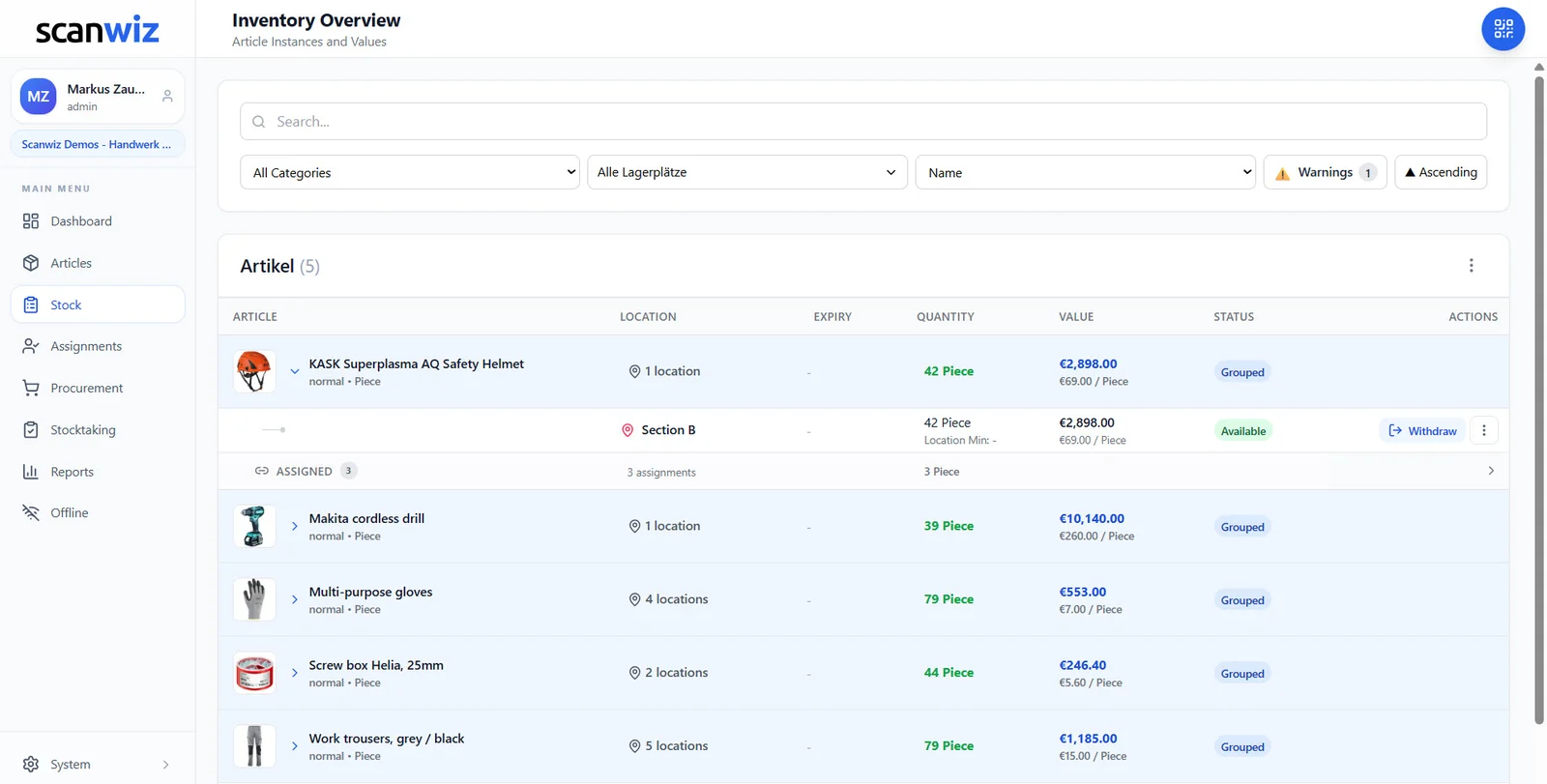
How much is there – and where exactly?
Every row shows the item with its location, quantity and value. Expand it and you see the spread across halls, racks and bins. No more reconciling two spreadsheets that never match anyway – one stock that warehouse, purchasing and accounting all use.
- Unlimited storage locations, sites and zones
- Filter by category and location, warnings as their own toggle
- Value per unit and in total – the basis for stocktaking and insurance
Warehouse structure
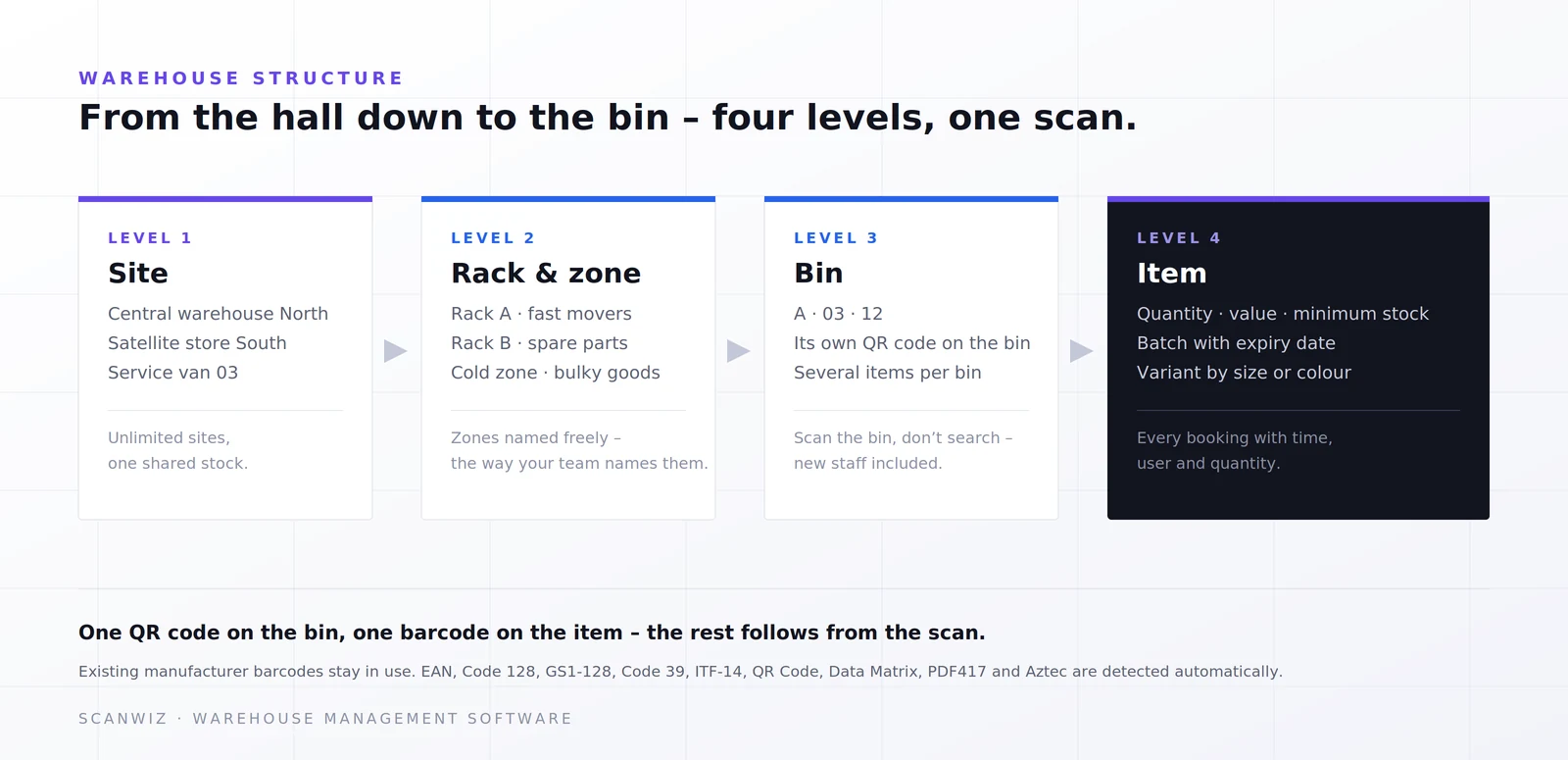
Four levels, named the way your warehouse really is
Site, rack or zone, bin, item: Scanwiz mirrors your structure instead of imposing a foreign one. The bin gets a QR code, the item keeps its manufacturer barcode. Whoever is new on the team finds the spot by scanning – not by asking.
- Several warehouses, satellite stores and vehicles in one structure
- Zones named freely – fast movers, cold zone, bulky goods
- Transfers between locations by scan, not by shouting across the hall
At the rack
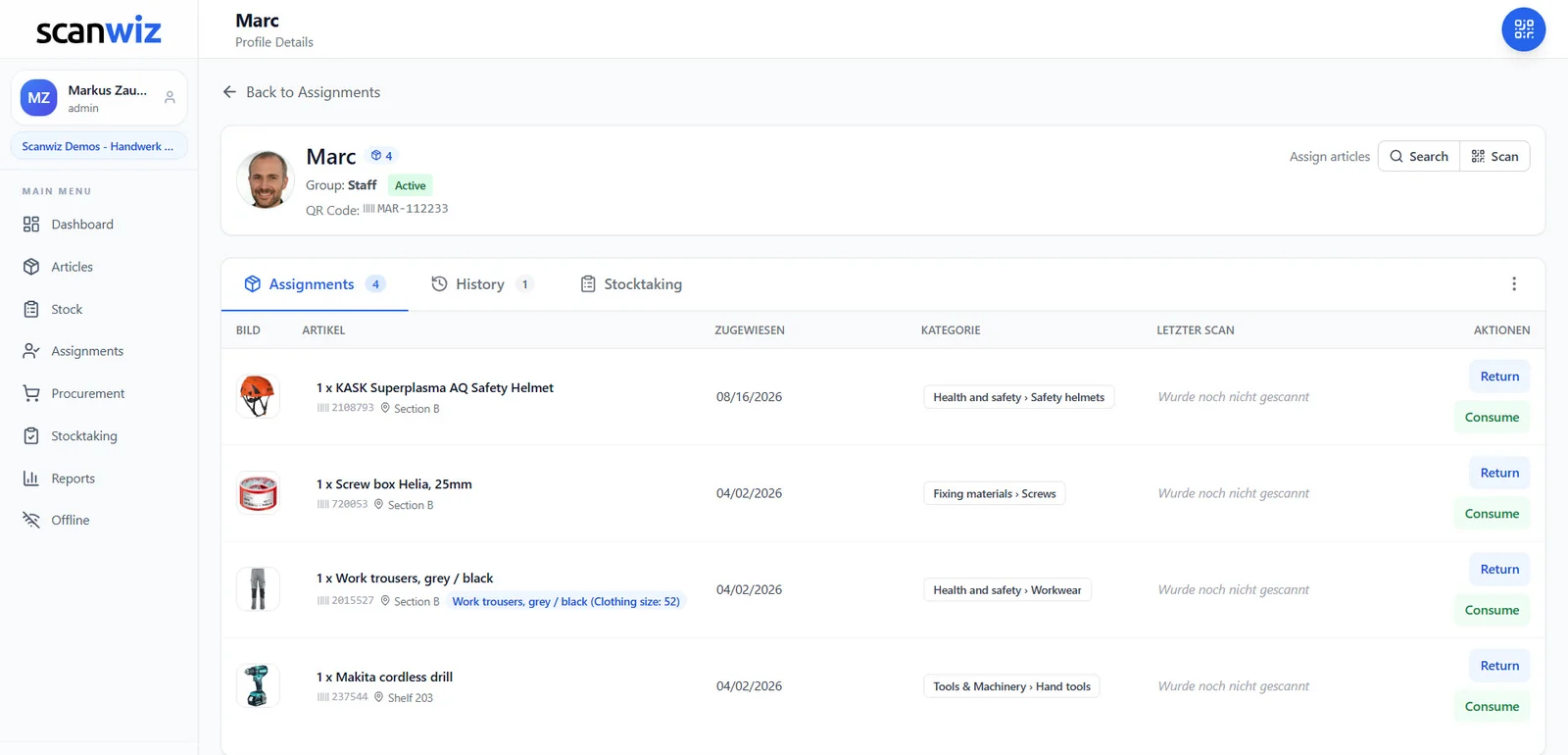
Booked where the goods are
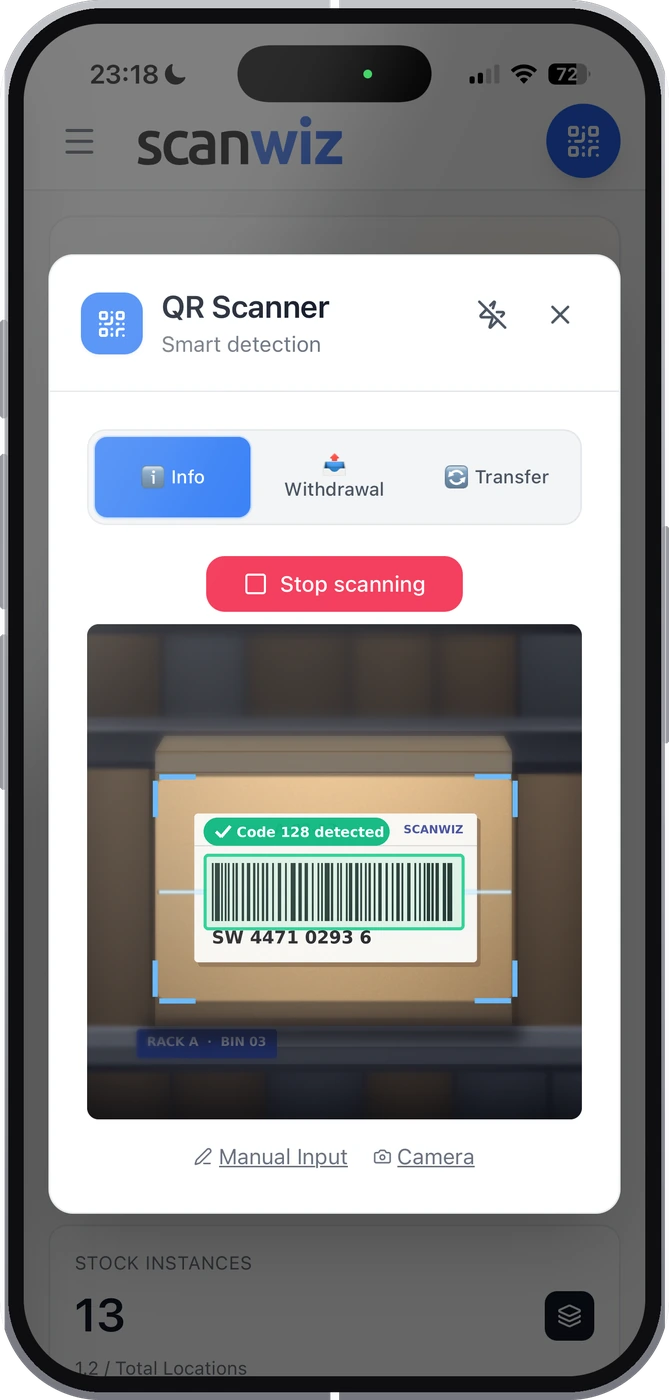
Open the app, choose a mode, scan: Info shows stock and location, Withdrawal books it out, Transfer moves it. Hardware scanners you already own keep working as a keyboard. And without a connection everything is captured locally and synced later – halls without reception and satellite stores are the normal case, not the exception.


Minimum stock & replenishment
What runs low is on the list before it is missing
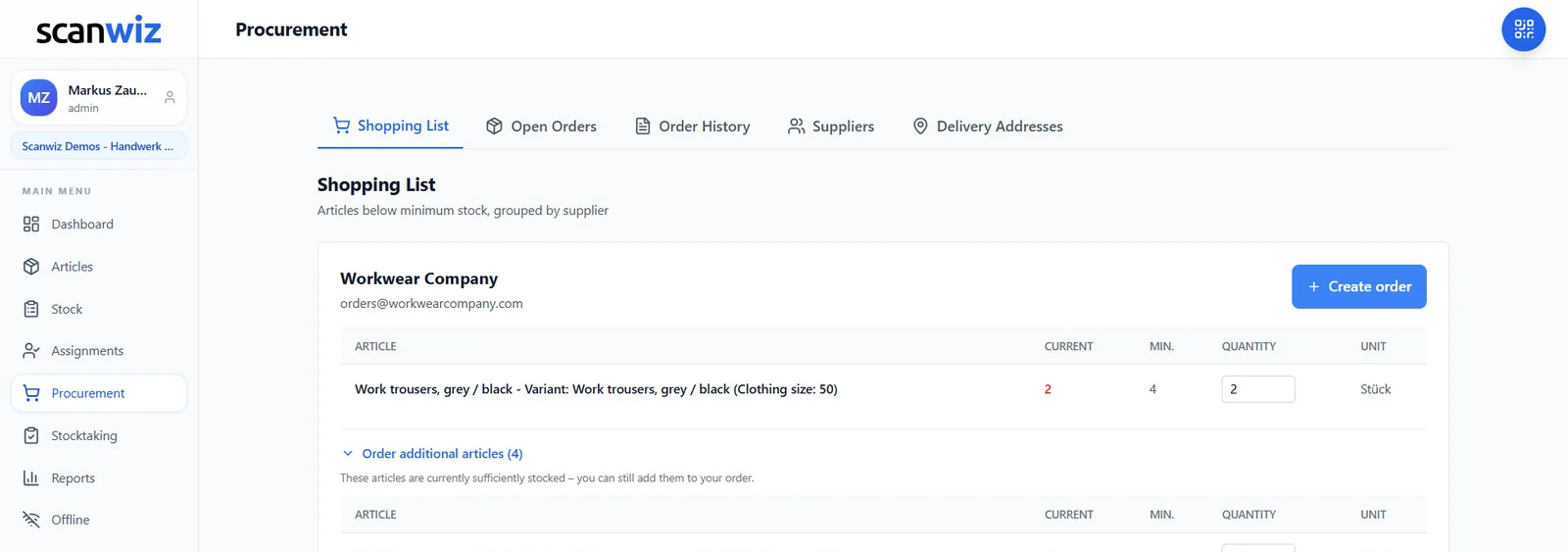
Every withdrawal lowers the stock – and as soon as an item falls below its minimum it appears on the shopping list, grouped by supplier. Scanwiz suggests the order quantity, you adjust it and send it out. After goods receipt the stock is correct again by itself.
- Minimum stock per item, per variant and per location
- Add further items from the same supplier to the order
- Open orders and order history in one place
Batches & variants
When an item is not just an item
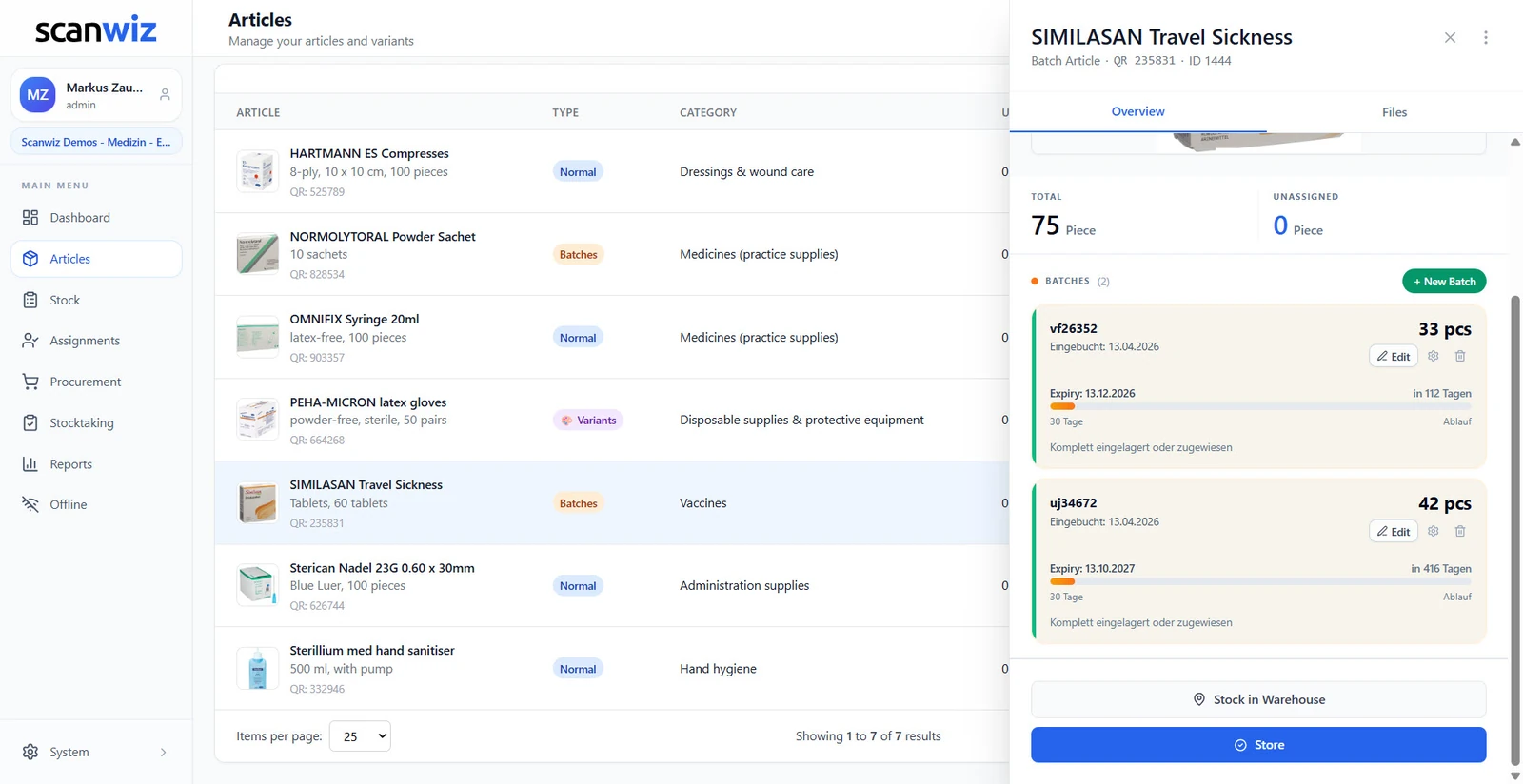
Every delivery can carry its own batch with number, expiry date, supplier and its own purchase price. And sizes, colours or versions run as variants under one master record instead of turning into six dead entries. The item shows the blended value, the batch the real price.
- Days remaining, traffic light and expiry alerts per batch
- Purchase price per delivery – price increases become visible
- One batch can sit in several storage locations
Stocktaking
Count without stopping the warehouse
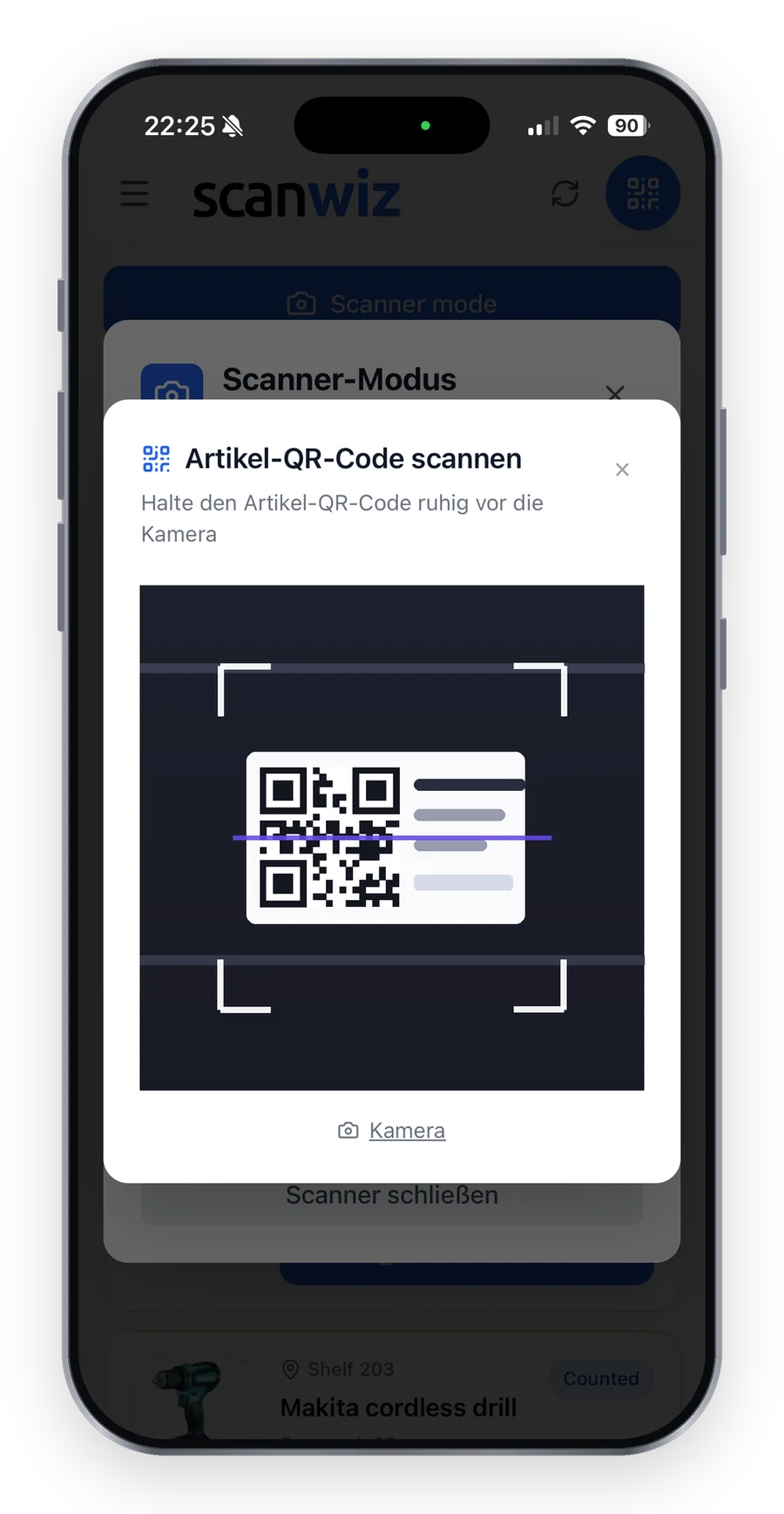
Four stocktaking types, guided counting on the phone, tolerances in percent and units. Only real deviations go to approval. Several people count in parallel, pausing and continuing tomorrow is intended – and at the end there is an auditable report instead of a pile of count sheets.
- Full stocktake, cycle count, spot check and blind count
- Batches and variants are counted at their own level
- Every session is kept with its number, period and deviations
One platform
Web app, mobile app and handheld scanner – one stock.
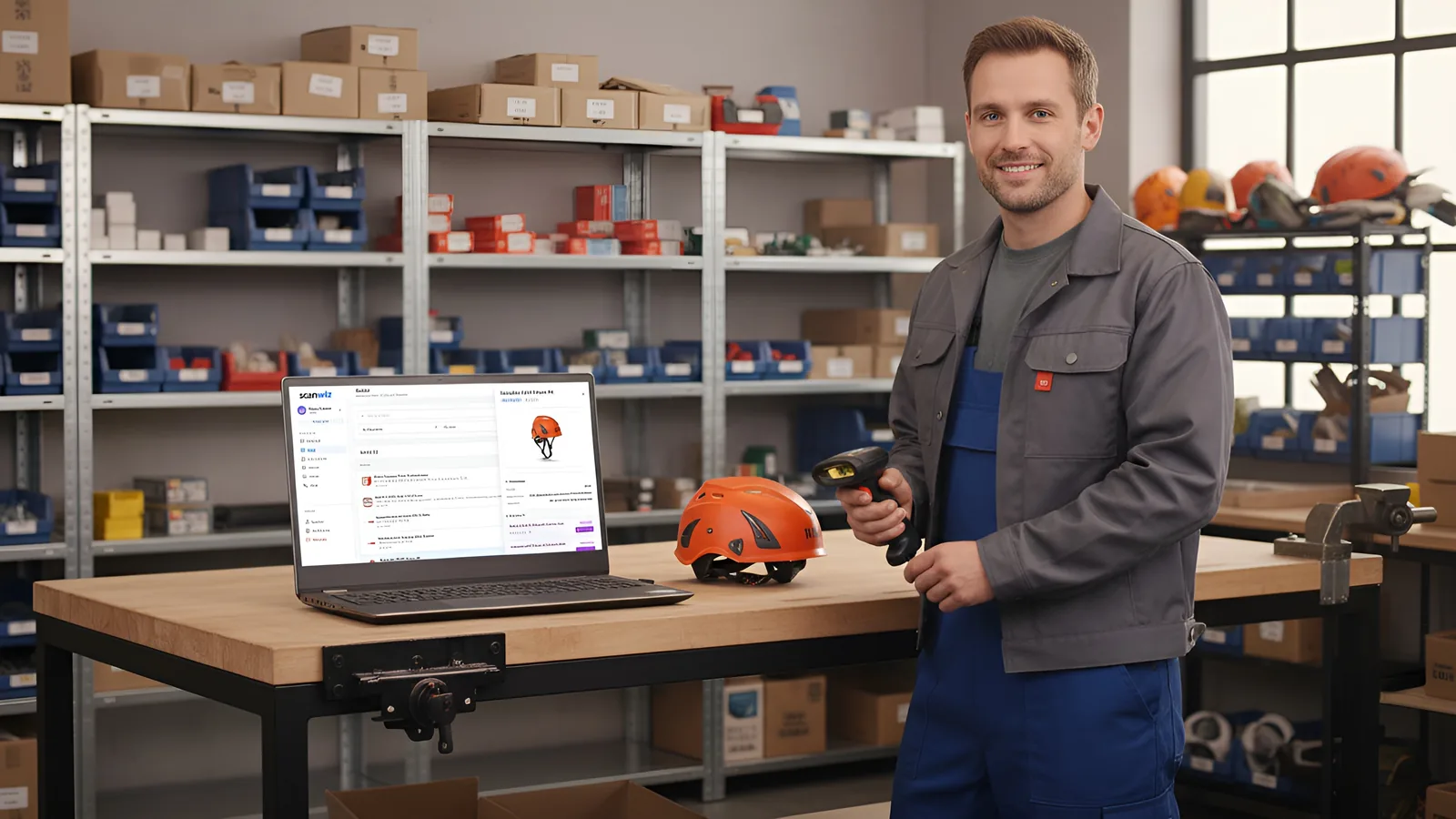
At the computer in the office, on a phone in the hall or with a handheld scanner at goods receipt: everyone works on the same stock. Cloud-based, set up in minutes – from a single-room store to a business with several sites and satellite warehouses.
Getting started
Three steps to a stock figure you can trust.
Try it free and without obligation – no strings attached. Register in the web app or download the mobile app straight away.
Import & structure
Take items, categories, locations, quantities and values from Excel – you do not start from zero. Bins get a QR code, existing manufacturer barcodes stay in use.
Book by scan
Goods receipt, transfers and withdrawals now run through the scan – along the way, while people work. Batches and variants travel along automatically, typos disappear.
Analyse & reorder
Minimum stocks speak up by themselves, and reports on movements and stock levels export as Excel, CSV or PDF. Your first stocktake in Scanwiz doubles as the opening balance.
Customer quotes
From a single-room store to a business with several sites.
4.9 out of 5 stars from over 120 verified customer reviews.
“Scanwiz has noticeably simplified how we manage consumables and PPE. With barcode scanning, we record goods receipts and issues in seconds and always have a clear overview of stock levels and storage locations. The simple stocktake is especially helpful because it works during ongoing operations without bringing everything to a halt. The system runs stably and reliably—and we save a noticeable amount of time every month on documentation and reordering. A clear recommendation for trades and industry that want to keep their materials inventory under control.”
 Stefan KapseLaumann Carpentry & Roofing
“We’ve noticeably professionalized our materials management in maintenance and made it significantly more transparent. The clean mapping of variants (e.g., sizes, versions, and standards for PPE, as well as dimensions for C-parts) in particular reduces mix-ups and ensures reliable traceability in day-to-day work. With continuous inventory tracking, we’ve shortened search times and made material flows easier to plan. Support is also fast and pragmatic overall—a real relief for the entire team.”
 Moritz WinterbachWinterbach Engineering
“Since introducing Scanwiz, we’ve had materials management in our operation much better under control: stock levels are always traceable, issues and goods receipts are properly documented, and the analyses help us with replenishment and deployment planning. In day-to-day work, this saves noticeable time, reduces back-and-forth between the warehouse, job site, and workshop, and makes processes more reliable for the whole team.”
 Sedat BernaEggersmann Construction
Prices
Straightforward. Transparent. Affordable.
Pricing is based on the number of managed items and the range of features – users and storage locations are unlimited in every plan. Batch management and reporting are included from the Growth plan upwards. Need more, or something tailored? Get in touch.
- Unlimited users
- Unlimited storage locations
- Variant management
- Assignment function
- Stocktaking functions
- Offline mode
- Everything from the Starter plan
- Self-checkout function
- Batch management
- Purchasing & orders
- Reporting area
- Personal onboarding
- Scanwiz full version
- Scanwiz AI Connect (MCP)
- Material requests
- Organisational units
- Single Sign-On
- Access to the REST API
All plans free for 14 days · no credit card · cancel monthly
Frequently asked questions
Warehouse management software – answered briefly.
What is warehouse management software?
Warehouse management software keeps stock level, storage location, value and every movement for each item. Goods receipt, transfers, withdrawals and stocktakes are recorded as bookings, so the stock always matches what is actually on the rack. In Scanwiz every one of those bookings is created by a barcode scan – on a phone, a tablet or a handheld scanner you already own – and stays traceable in the history with time, user and quantity.
Which businesses is Scanwiz suited to?
Warehouses, workshops, manufacturers, retail and e-commerce of any size – from a single-room store to a business with several sites and satellite warehouses. Users and storage locations are unlimited in every plan, so the whole warehouse team can book along without the cost rising per head.
Do I need an ERP or inventory system for this?
No. Scanwiz is deliberately made for businesses for whom an ERP is too big, too expensive and too slow to roll out, but for whom Excel is no longer enough. There is no installation and no IT project: you register, import your item list and set up the first storage locations. If an integration becomes necessary later, the Business plan includes a documented REST API.
Can I model several warehouses and sites?
Yes, and without limit. The structure runs from the site through rack and zone down to the individual bin, and a service van can be kept as a storage location just like a hall. Transfers between locations and sites are booked by scan, so it stays visible at any time where an item is and how much of it sits where.
Which barcodes and scanners can I use?
The camera on a smartphone or tablet is enough; the built-in scanner detects EAN, UPC, Code 128, GS1-128, Code 39, ITF-14, QR Code, Data Matrix, PDF417 and Aztec automatically. Existing manufacturer barcodes can stay in use instead of relabelling everything. Handheld scanners that register as a keyboard – via USB or Bluetooth – keep working directly in the web app.
Does Scanwiz work in halls without Wi-Fi?
Yes. In offline mode scans and bookings are captured locally on the device and transferred automatically as soon as there is a connection again. For basement stores, satellite warehouses and halls without reception that is the normal case, not the exception. More on the page about the barcode scanner.
How do I get my existing stock into the system?
Through the Excel import: items, categories, locations, quantities and values can be taken from a spreadsheet, so you do not start from zero. The items are then labelled with QR codes – or you store the barcodes and serial numbers you already have and keep them. Your first stocktake in Scanwiz then doubles as the opening balance.
How do minimum stock and reordering work?
You set a minimum stock for every item, every variant and, if needed, every storage location. Once withdrawals take the stock below it, the item lands on the shopping list automatically – grouped by supplier and with a suggested order quantity you adjust before sending. Further items from the same supplier can go on the same order, and open orders and the order history sit in one place. After goods receipt by scan, the stock is correct again by itself. Purchasing & orders are included from the Growth plan upwards.
How does a stocktake work with the warehouse management software?
A stocktake runs as a session of its own on the phone – as a full stocktake, cycle count, spot check or blind count. You set tolerances in percent and units, so only real deviations go to approval. Several people count in parallel, pausing and continuing the next day is intended, and the warehouse does not have to close for it. At the end there is an auditable report, and every session is kept with its number, period and deviations. More about it on the page for stocktaking software.
Can I track batches, expiry dates and variants?
Yes. Every delivery can be kept as a batch of its own with number, expiry date, supplier and purchase price – including days remaining, a traffic light and expiry alerts. That makes price increases per delivery visible, while the item shows the blended value. Sizes, colours or versions run as variants under one shared master record, each with its own stock and its own minimum stock. The two can be combined and are counted at their own level during a stocktake. Batch management is included from the Growth plan upwards; more about it on the page for batch management.
Can I manage tools and equipment as well?
Yes. Alongside stock items with a quantity, tools, machines and devices can be kept as individual objects and assigned by scan to a person, a vehicle or a project – and booked back in the same way when they are returned. The item profile shows at any time who has what and since when, including the full history. The assignment function is already included in the Starter plan. More about it on the page for equipment management.
Can Scanwiz connect to an ERP, inventory system or AI assistant?
Yes, on the Business plan. The documented REST API lets you exchange items, stock levels and bookings with an ERP, an inventory system or your own tools. Scanwiz AI Connect adds a native MCP server through which AI assistants can work directly with your warehouse management software – to query stock levels or build reports, for example. User roles apply everywhere alike, including API and AI access. More about it on the page for AI inventory management.
Is Scanwiz GDPR-compliant, and who can book what?
Scanwiz is GDPR-compliant and hosted in certified data centres in Germany. User roles define who may see and book what – consistently across the web app, the mobile app and the REST API – and tenant separation keeps your data strictly apart from that of other customers. Every booking is kept with time, user, quantity and destination and is still auditable years later. You will find the details in our privacy policy.
How quickly is my warehouse team up and running?
Scanwiz is cloud-based and set up in minutes: the web app runs in the browser, and the mobile app is available for iOS and Android. Your item list comes in through the Excel import, bins get a QR code, and existing manufacturer barcodes stay in use. On the Growth plan, we set up categories, storage locations and the first profiles together with you during personal onboarding. Guides and videos are available at any time in the help & video library.
What does warehouse management software cost at Scanwiz?
Plans start at $49 per month for up to 500 items (Starter); Growth costs $165 per month for up to 2,000 items and includes batches and reporting; annual payment comes with a 10% discount. Users and storage locations are unlimited in every plan. You can try it beforehand free and without obligation – no credit card, cancel any time.
Over 250 customers already trust Scanwiz
Ready for less warehouse admin and more time for the work that matters?
Start free and with no obligation – no credit card, no risk. Or let us walk you through Scanwiz in a personal demo.



