
Your stock, smartly managed
With Scanwiz, you have all your stock items under control. Easily manage inventories, batches, variants, and stock movements – and with AI Connect, you can easily ask for your data instead of clicking through lists.
Ø 4.9 Rating





In short
Managing stock items means every item has a storage location, a quantity, a value and a history – from the box of screws to the cordless drill that is currently out on site. Scanwiz keeps stock items, equipment and batches in one system, records every movement with a scan on a phone, tablet or external scanner, and answers the questions afterwards in a report or in plain language. The inventory is created while people work – not while somebody maintains a spreadsheet.
One system
Everything that touches your stock items – in one place.
Stock list, tool issue, count sheet, batch folder, inspection plan: in most businesses those are five separate worlds. In Scanwiz they are one – with the same items, the same storage locations and the same history.
Stock items & levels
Unlimited items, storage locations and sites. With minimum stock, value per unit and an automatic shopping list as soon as something runs low.
stock & stocktaking →Equipment & tools
Every device as its own object with an asset number. Hand out, pass on, take back – including inspection dates, counter readings and defect reports on the same object.
to equipment management →Barcode & QR scanner
EAN, Code 128, Data Matrix, QR: the scanner detects the code type itself – with a phone camera, a tablet or the scanner you already own.
to the barcode scanner →Stocktaking without paper
Four stocktaking types, a guided count on the phone, tolerances in percent and units. Only real deviations end up in approval.
to stocktaking software →Batches & variants
Every delivery with its own number, its own expiry date and its own price. Sizes and versions without six separate master records.
to batch management →Practice, lab & care
Medication, sterile goods and practice supplies with batch, expiry date and proof – the same logic, only with stricter requirements.
medical inventory management →And the answers to all of it? With AI Connect you ask about stock, assignments and maintenance in plain language – through ChatGPT, Claude or Cursor.
to scanwiz ai connectThe difference
What counts as a stock item in your business?
Screws, cordless drills, vaccines, gloves in six sizes – in a spreadsheet they all look the same. In Scanwiz they don’t. Pick what sits on your shelves and see how Scanwiz tracks it.
Gets used up, never comes back. The item is tracked as a quantity per storage location. Every withdrawal lowers the stock permanently and is attributed to the person, the site or the cost centre.
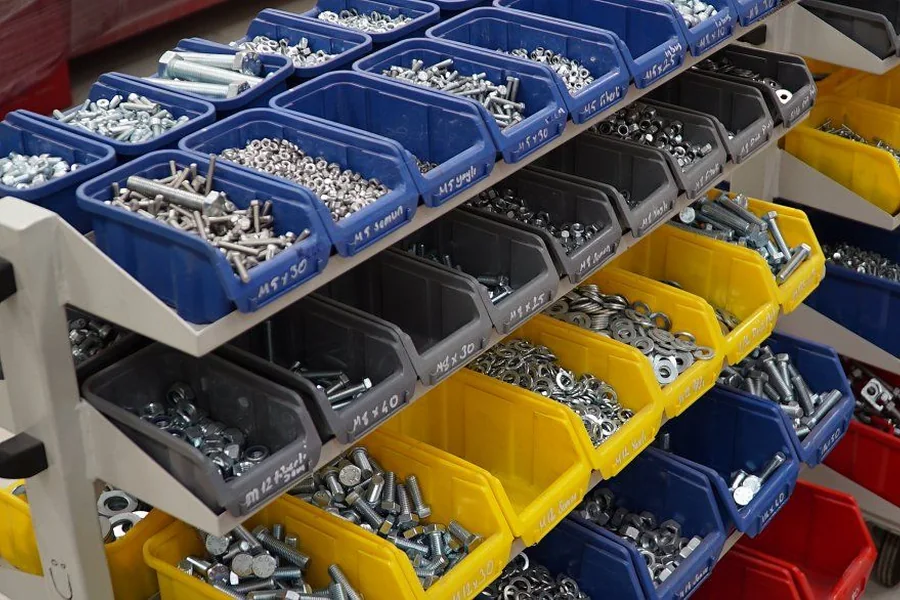
- A withdrawal takes two seconds at the shelf – no note, no follow-up question
- Below the minimum the item lands on the shopping list automatically
- Consumption is reportable per project – the basis for clean job costing
Typical: screws, wall plugs, gloves, sealant, filters, compresses
Comes back – and collects a history on the way. Every device stays a single object with its own asset number, its own QR code and its own file. It changes holder, not quantity.
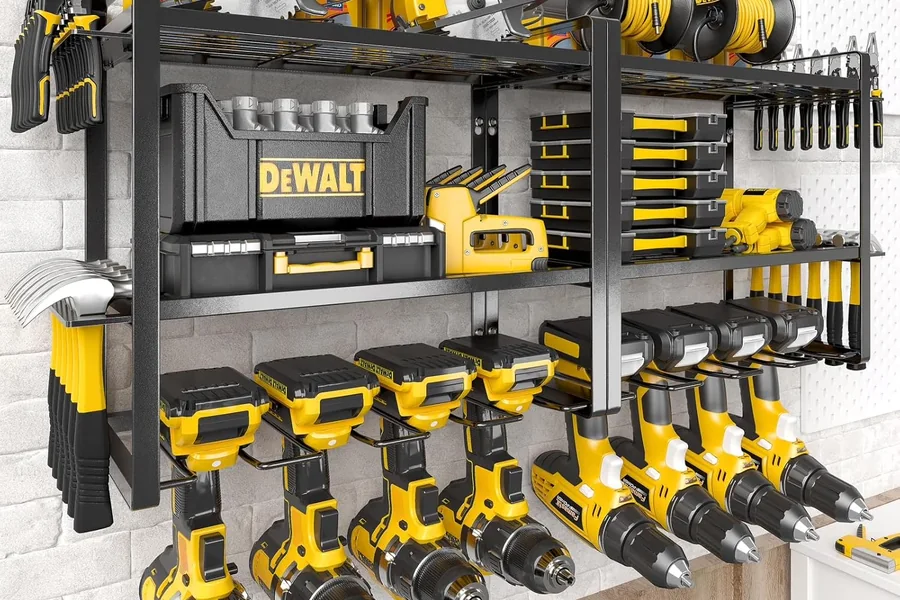
- “With Marc since 14 March” instead of “Marc probably has it”
- Inspection dates, intervals and counter readings run on the same object
- Broken in the field? Scan the QR, attach a photo – it becomes a job
Typical: cordless drills, measuring devices, ladders, forklifts, laptops, vehicles
Every delivery counts on its own. Batch number, expiry date, supplier and purchase price belong to the delivery – not to the article. So that is where Scanwiz keeps them.
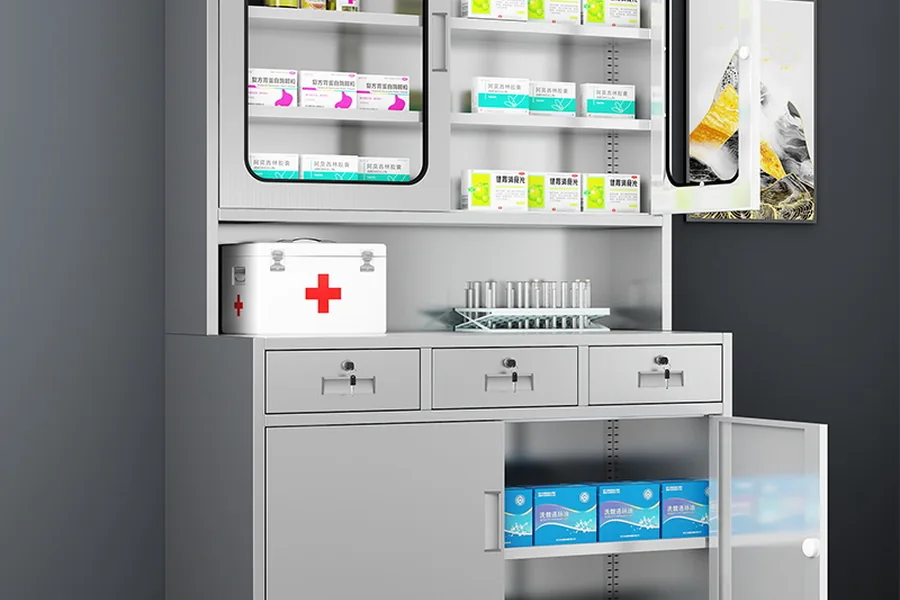
- The batch number travels with the person it was issued to
- Whatever expires first sits at the top – long before it is too late
- Eight reports, exportable as Excel, CSV or PDF
Typical: medicines, vaccines, sterile goods, reagents, adhesives and sealants
One master record, several stock levels. Six sizes are not six articles. Every version carries its own stock, the total sits on top.
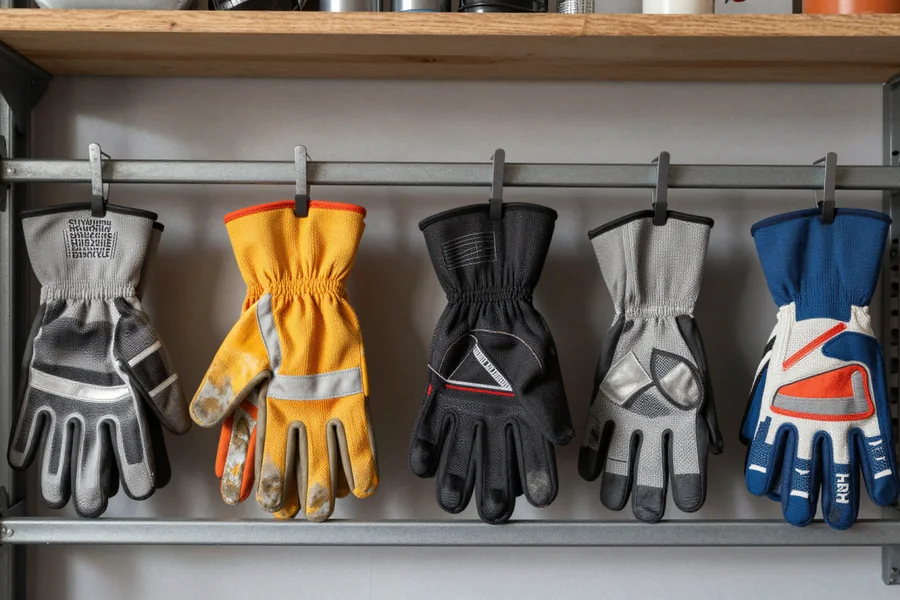
- Total stock and stock per size side by side
- Add new versions without recreating the article
- One QR code on the article, clean master data behind it
Typical: workwear, gloves, catheters, screws by length
Interactive example · in Scanwiz you decide per article how closely it is tracked
Recognise your own stock? Create an account, import your item list and set up the first storage locations – 14 days free, no credit card.
start a free trialIn everyday use
Scan instead of type. Where the work happens.
Stock levels are only correct when booking is faster than forgetting. That is why every transaction in Scanwiz is a scan – at the rack, at the issue counter or out on site. And whatever runs low speaks up by itself.
The overview
How much is there – and how much of it is out?
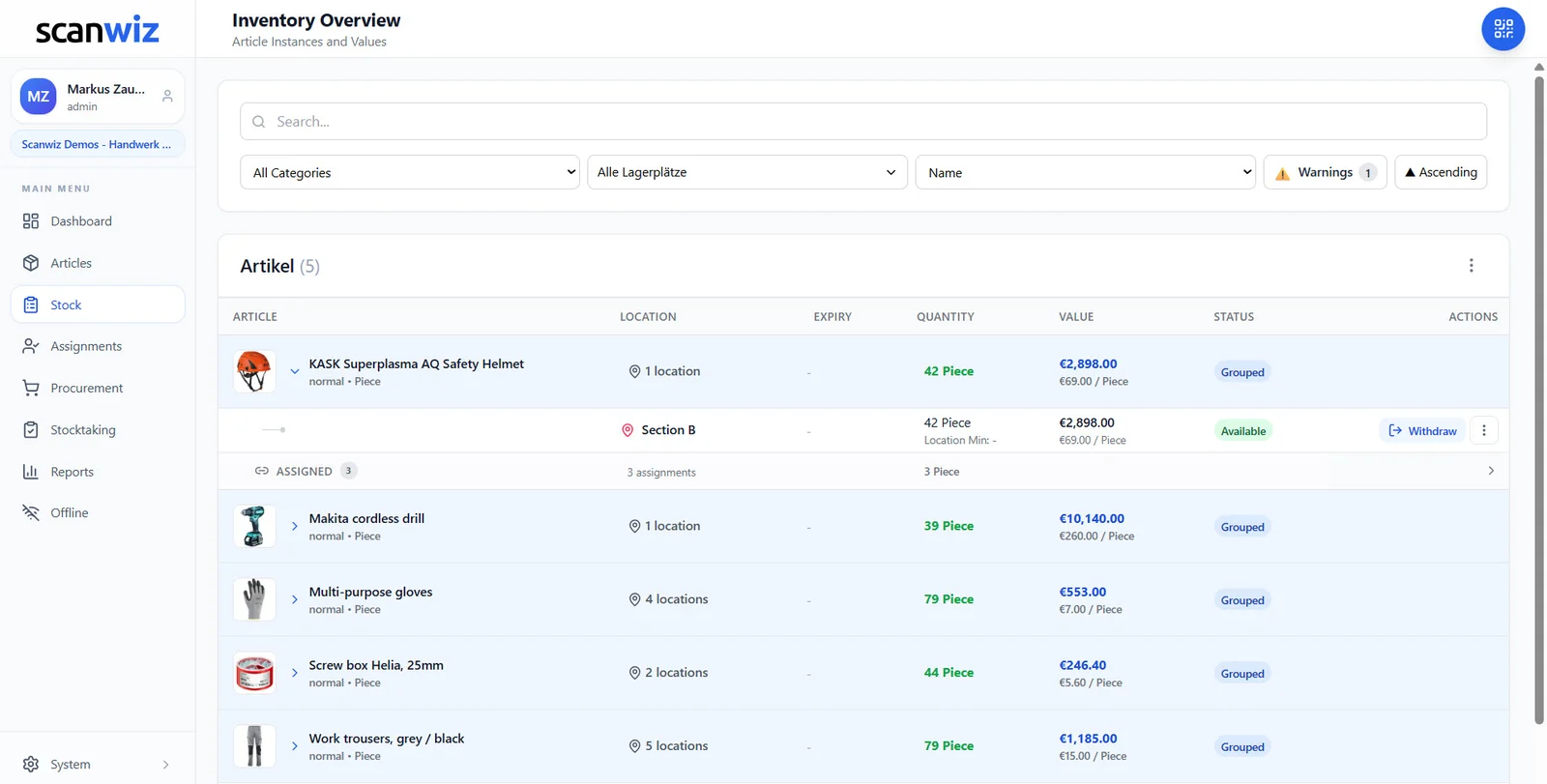
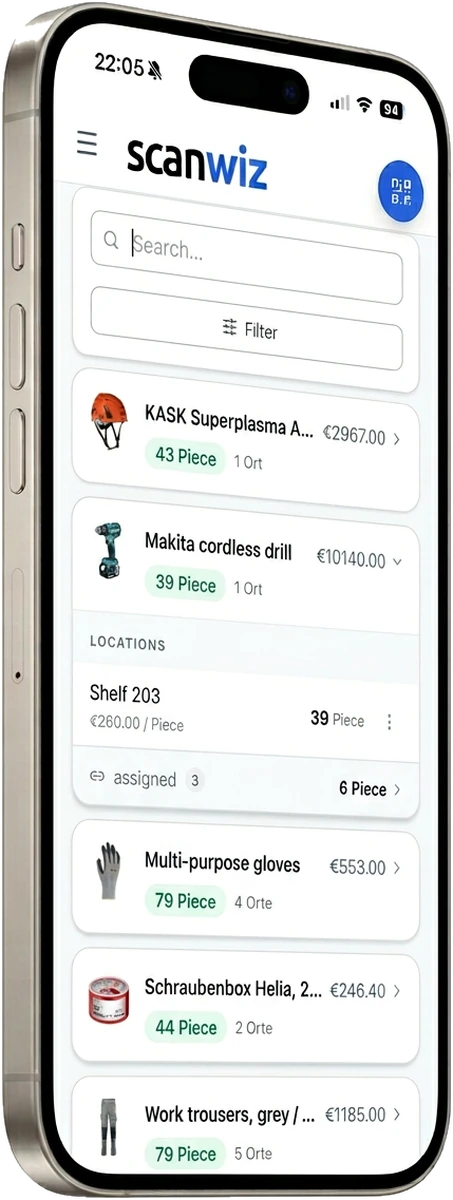
Every row shows the stock item with its location, quantity and value. Expand it and you see how the stock is spread: what sits on the shelf and what is currently with people, vehicles or construction sites. Both in the same view, instead of in two spreadsheets nobody reconciles.
- Several storage locations, rooms, racks and vehicles in one structure
- Filter by category and storage location, warnings as their own toggle
- Value per unit and in total – the basis for stocktaking and insurance
- Every movement traceable with time, user and quantity
Mobile
The camera you are carrying anyway
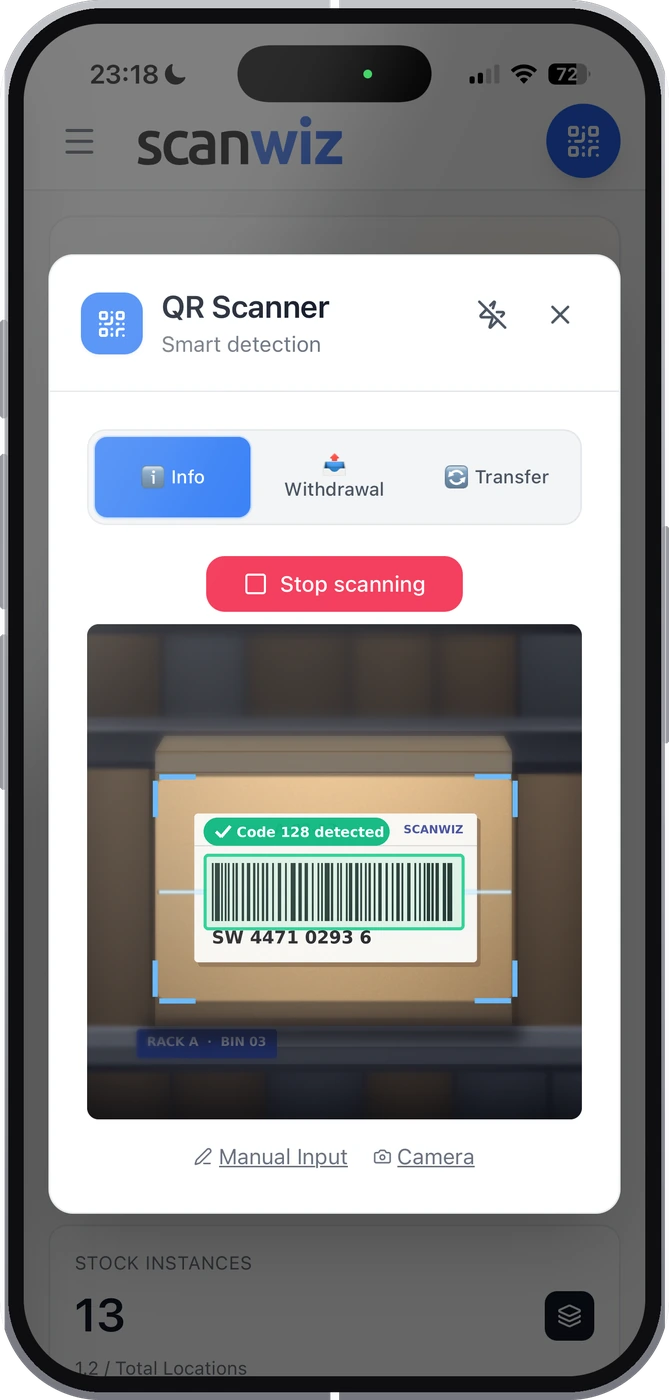
Open the app, choose a mode, scan: Info shows stock and location, Withdrawal books it out, Transfer moves it. Hardware scanners you already own keep working as a keyboard. And without a connection everything is captured locally and synced later – basements, underground car parks and site containers are the normal case, not the exception.
Replenishment
What runs low is on the list before it is missing
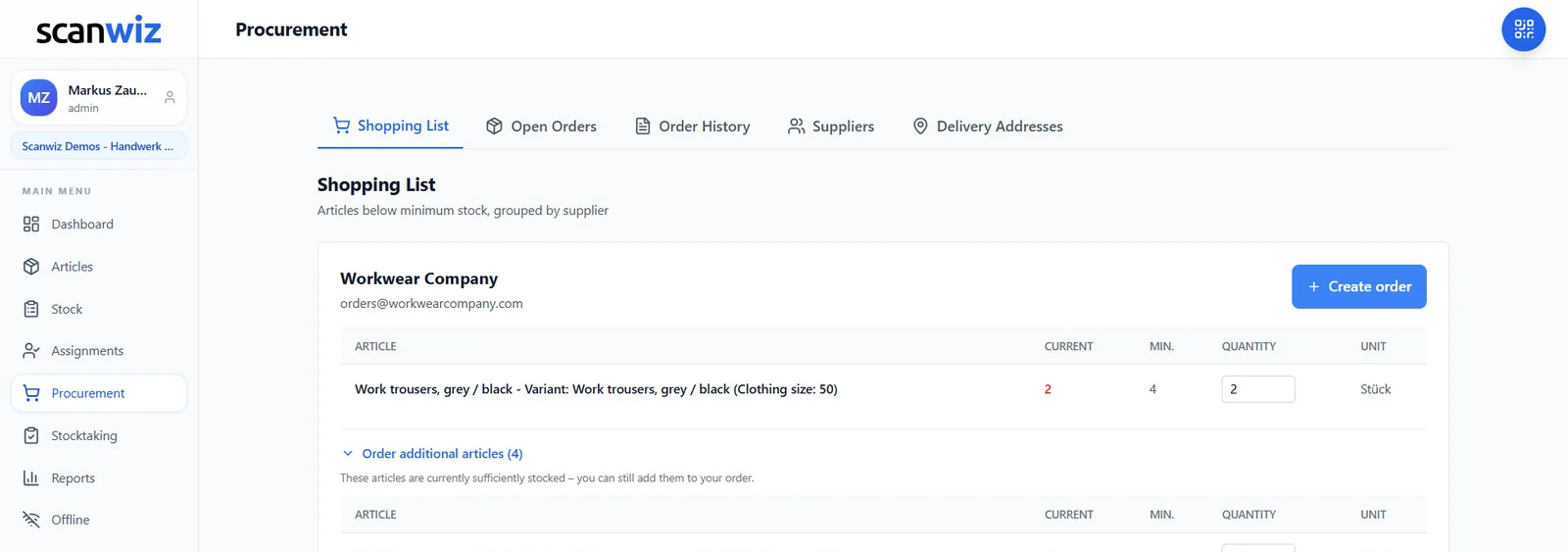
Every withdrawal lowers the stock – and as soon as a stock item falls below its minimum it appears on the shopping list, grouped by supplier. Scanwiz suggests the order quantity, you adjust it and send it out. After goods receipt the stock is correct again by itself. No note on the rack, no “somebody should have said something”.
- Minimum stock per item, per variant and per storage location
- A suggested order quantity you can adjust before sending
- Add further items from the same supplier to the order
- Open orders and order history in one place
Scanwiz AI Connect
Ask your warehouse instead of clicking through it.
Connect Scanwiz to ChatGPT, Claude or Cursor and ask your questions the way you would ask a colleague. Read-only out of the box – you enable write permissions deliberately, or never.
Answers, not raw data
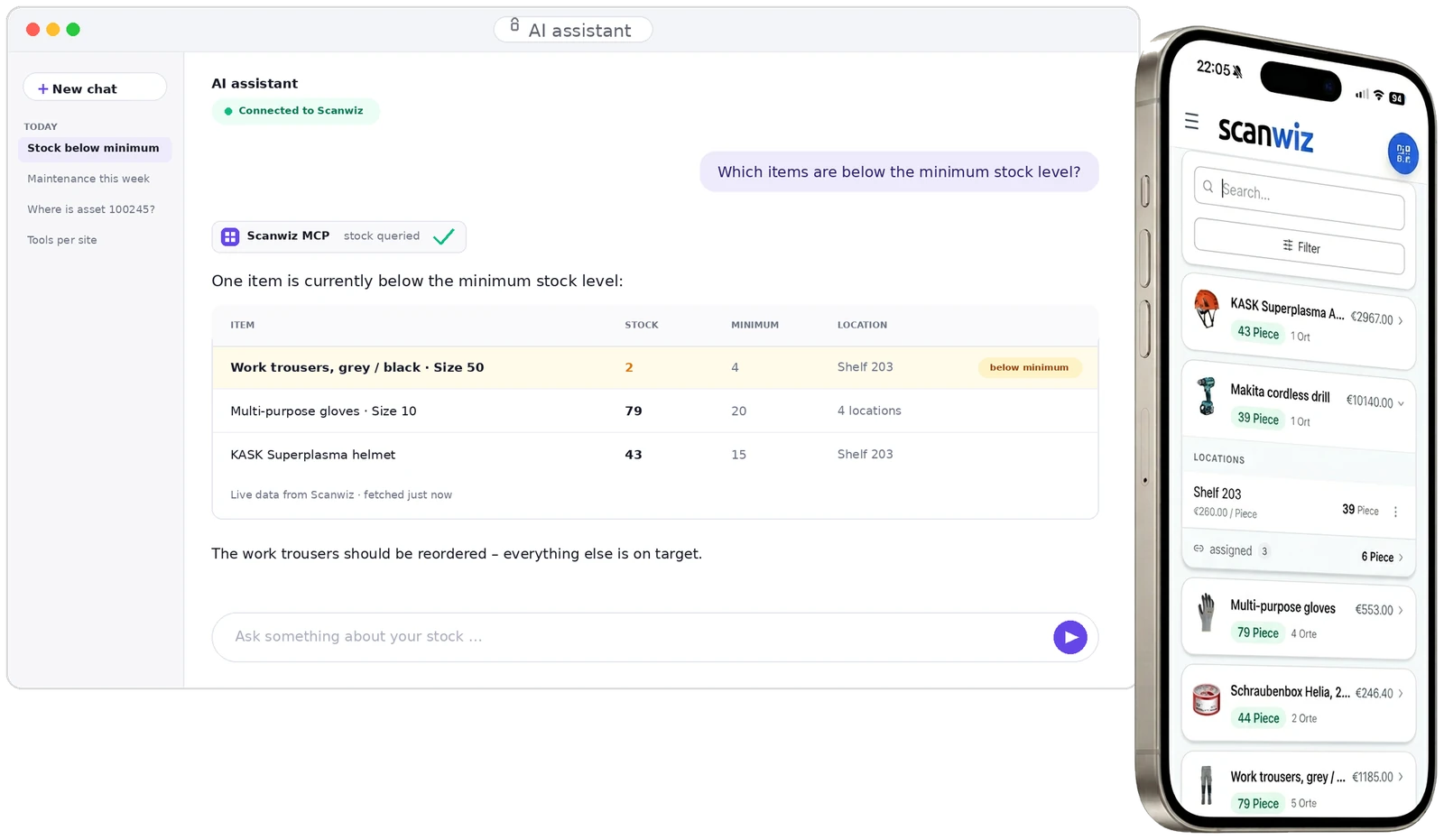
“Which items need reordering?”
The same data – scanned once, asked once
An interface returns 247 records. Scanwiz knows how stock, minimum, location and assignment relate – and answers outright: “One item is below the minimum stock level: work trousers size 50 – 2 of 4 pieces, Shelf 203.”
- Open standard (MCP) – sign in via OAuth, no programming
- Never more rights than the signed-in user has
- Actions only after your confirmation – and every one is logged
Getting started
Four steps to your first clean inventory.
The effort sits in the first few days. After that the stock keeps itself current through the daily scans – no installation, no IT project, straight from the cloud.
-
01
Import
Take stock items, categories, storage locations, quantities and values from Excel. You do not start from zero.
-
02
Label
Print QR labels and attach them – or simply store the barcodes and serial numbers you already have.
-
03
Scan
Goods receipt, withdrawal, transfer, handout: from now on every booking happens along the way, while people work.
-
04
Analyse
Stocktaking, reports, shopping list – or simply ask. The numbers are there because the team scans anyway.


14 days free · no credit card · web app and mobile app included
Industries
The same logic, very different shelves.
Screws, sterile goods or laptops: the questions are the same everywhere – what is there, where is it, who has it, what expires. Only the items differ.
Trades & construction
Tools that go out every morning, and material that is used up on site. Materials management for trades
Practice, care & lab
Batches, expiry dates and sterile goods – with a complete record of who received which batch. Medical inventory management
Industry & production
Spare parts, measuring and test equipment, tools on machines – including inspection dates and counter readings.
IT & administration
Laptops, monitors, company phones: handed out, taken back and assigned to a person at any time.
Fire & emergency services
Operational equipment, PPE and devices with recurring inspections – demonstrably ready at any time.
Facility & public sector
Technical equipment, workshop stock and vehicles across several buildings and sites – in one view.
Your industry not listed? Show us in 20 minutes what sits on your shelves – we’ll show you how Scanwiz handles it.
request a demoCustomer quotes
From a care service office to a demolition site.
4.9 out of 5 stars from over 120 verified reviews – and more than 250 businesses that now scan their stock items instead of searching for them.
“Managing our medication stock used to be time-consuming and error-prone. With Scanwiz, stock levels, removals and responsibilities are visible digitally at any time. The rollout was smooth and the team adopted it immediately.”
 Joachim HeckM+M The Care Team
“Batch management and variant handling are finally transparent and error-free. Since the switch we save noticeable time on stocktaking and on tracing batches – and data storage in German data centres builds trust.”
 Aarav SharmaKern AG Tools
“Tools and materials used to be hard to find or wrongly recorded – since we started using Scanwiz our warehouse runs like clockwork. Recording withdrawals directly on the construction site and managing several vehicles have taken real pressure off us.”
 Sascha KleinbergAWR Demolition work
Prices
Straightforward. Transparent. Affordable.
Pricing is based on the number of managed stock items and the range of features – users and storage locations are unlimited in every plan. Need more, or something tailored? Get in touch and we’ll put together a plan that fits.
Starter
$ 49/ month
10% discount for annual payment
For up to 500 items
- Unlimited users
- Unlimited storage locations
- Variant management
- Assignment function
- Stocktaking functions
- Offline mode
Try risk-free. No obligation.
Growth
$ 165/ month
10% discount for annual payment
For up to 2,000 items
- Everything from the Starter plan
- Self-checkout function
- Batch management
- Purchasing & orders
- Reporting area
- Personal onboarding
Try risk-free. No obligation.
Business
On request
Get in touch with us
Scalable to your needs
- Scanwiz full version
- Scanwiz AI Connect (MCP)
- Material requests
- Organisational units
- Single Sign-On
- Access to the REST API
Usually answered the same working day.
All plans free for 14 days · no credit card · cancel monthly
Operations & security
Six things you only appreciate later.
Software isn’t judged on day one, but in year two – during an audit, when someone leaves, and when there is no connection.
Data in Germany
Hosted in certified data centres in Germany, GDPR-compliant – including assignments to named people.
Permissions that hold
User roles and tenant separation apply everywhere alike: web app, mobile app, REST API and AI access.
Offline is not an edge case
In the basement, in an outdoor store, out in the field: capture happens locally, transfer as soon as there is a connection again.
Open to your systems
A documented REST API and a native MCP server – for ERP integration, automation and AI assistants.
A complete history
Every booking is kept with time, user, quantity and destination – still auditable years later.
People, not ticket numbers
At the start we set up categories, storage locations and the first profiles together with you. To help & video library
Frequently asked questions
Answered briefly.
What does “managing stock items” mean with Scanwiz?
Every stock item is kept as its own record – with quantity, storage location, category, value, minimum stock and a QR code. Every movement, whether goods receipt, withdrawal, transfer, assignment or return, is created by a scan and stays in the history with time, user and quantity. Unlike a spreadsheet, nobody has to maintain the stock afterwards: it updates itself as people work.
How quickly can I get started with Scanwiz?
Registration takes a few minutes, after which you can start recording stock items right away – no installation and no technical background needed. Scanwiz runs in any browser and as a mobile app for iOS and Android. If you already have an item list, start with the Excel import and you are productive the same day.
Can I import my existing Excel list?
Yes. Items, categories, storage locations, quantities and values can be taken over from a spreadsheet. The items are then labelled with QR codes – or you store the barcodes and serial numbers you already use and keep them. The first stocktaking in Scanwiz then doubles as your initial inventory.
Do I need special hardware or scanners?
No. The camera on your smartphone or tablet is enough; the built-in scanner detects EAN, UPC, Code 128, GS1-128, Code 39, ITF-14, QR Code, Data Matrix, PDF417 and Aztec automatically. Existing hardware scanners that register as a keyboard (USB or Bluetooth) keep working directly in the web app.
What is the difference between consumables and equipment?
Consumables get used up: the quantity drops permanently on withdrawal. Equipment comes back: it stays a single object with an asset number, only changes holder and collects history, maintenance and costs over the years. Scanwiz covers both – on the same profile each line offers either “Return” or “Consume”.
Can I track batches, expiry dates and variants?
Yes. Batch articles keep every delivery as a unit of its own with batch number, expiry date, supplier and purchase price, including days remaining, expiry alerts and full traceability. Variant articles keep a separate stock per size, colour or version under one shared master record.
How does a stocktaking work?
Through a wizard in four steps: choose the type (Full Stocktaking, Cycle Count, Spot Check or Blind Count), define the scope, set tolerances and the people allowed to count, then count on the phone. Only deviations above the tolerance go to approval. Pausing and continuing the next day is intended, and several people can count in parallel.
Does Scanwiz work without an internet connection?
Yes. In offline mode scans and bookings are captured locally on the device and transferred automatically as soon as there is a connection again. For basement stores, underground car parks and sites without reception that is the normal case.
Can I query my stock items with AI?
Yes, through Scanwiz AI Connect. You connect your account via OAuth to an assistant such as ChatGPT, Claude or Cursor and ask in plain language, for example “Which items are below the minimum stock level?”. The connection runs in read-only mode by default; write permissions are switched on individually and every action is shown and confirmed beforehand.
How secure is my data?
All data is stored in certified data centres in Germany and processed in line with the GDPR. Every access – via web app, mobile app, REST API or AI – is checked against the same user permissions and tenant separation. Details are in the privacy policy.
What does Scanwiz cost and can I try it first?
Plans are based on the number of managed items and start at $49 per month for up to 500 items, each with unlimited users and storage locations. You can try it for 14 days free of charge and without obligation, no credit card. For larger inventories or specific requirements we put together a matching offer.
Over 250 customers already trust Scanwiz
Ready for less warehouse admin and more time for the work that matters?
Start free and with no obligation – no credit card, no risk. Or let us walk you through Scanwiz in a personal demo.
4.9 out of 5 stars from over 120 verified customer reviews