
Feature: barcode & QR scanner
Scan instead of type. On every device.
The built-in barcode scanner in Scanwiz reads all common barcodes and QR codes – and books items straight in, out or across locations – or assigns them to a person, a vehicle or a site. With your smartphone, your tablet or the external scanner you already own.
1D & 2D · iOS, Android, desktop · external scanners · offline-capable
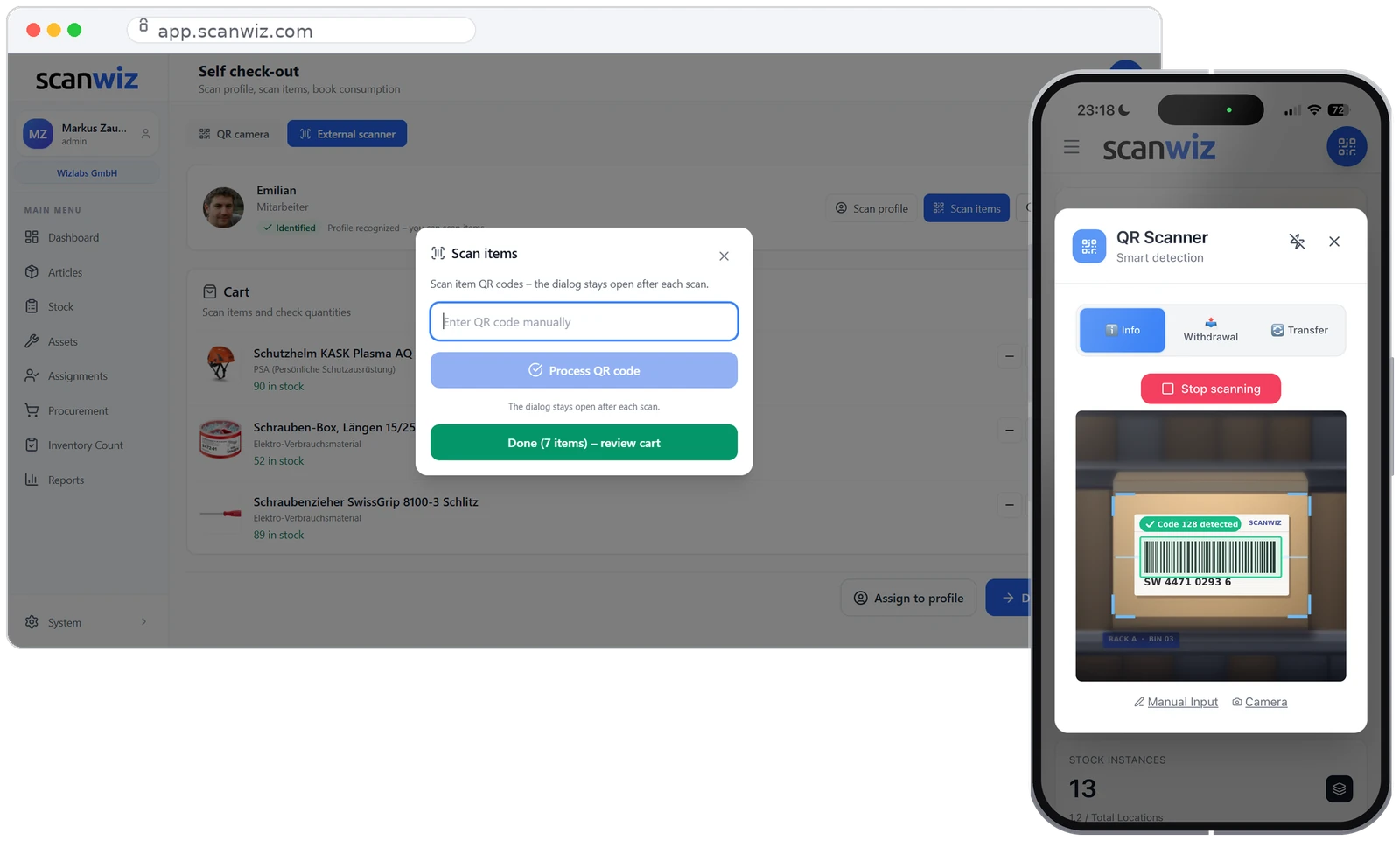
Symbologies
One barcode scanner. All codes.
Whether it is an EAN on consumables, Code 128 on a delivery note or the Scanwiz QR on the rack: the built-in scanner detects 1D and 2D codes automatically – without you selecting first what is in front of the camera.
Actions
One scan. Six ways forward.
The code tells Scanwiz which object you mean. What should happen with it is one tap away – and you never type an item number again.
Book in
Capture goods receipts right at the rack – quantity, location and batch in one go.
Withdraw
Book items out while you are still holding them. Stock is correct immediately.
Assign
Book assets to a person or a project. Who has what is answered at any time.
Transfer
Scan the item, scan the target location, done. No searching through lists.
Report a defect
Start a ticket right at the object – including photo and responsibility.
Look up
Open history, maintenance records and documents for the scanned object instantly.
And what happens after the scan? Assign, take back, keep a history: how Scanwiz tracks tools and devices as individual objects with an asset number is covered on the feature page.
to equipment managementIn everyday use
Scan where the work happens.
At the issue counter, in the warehouse or on site: Scanwiz adapts to the workplace – not the other way around.
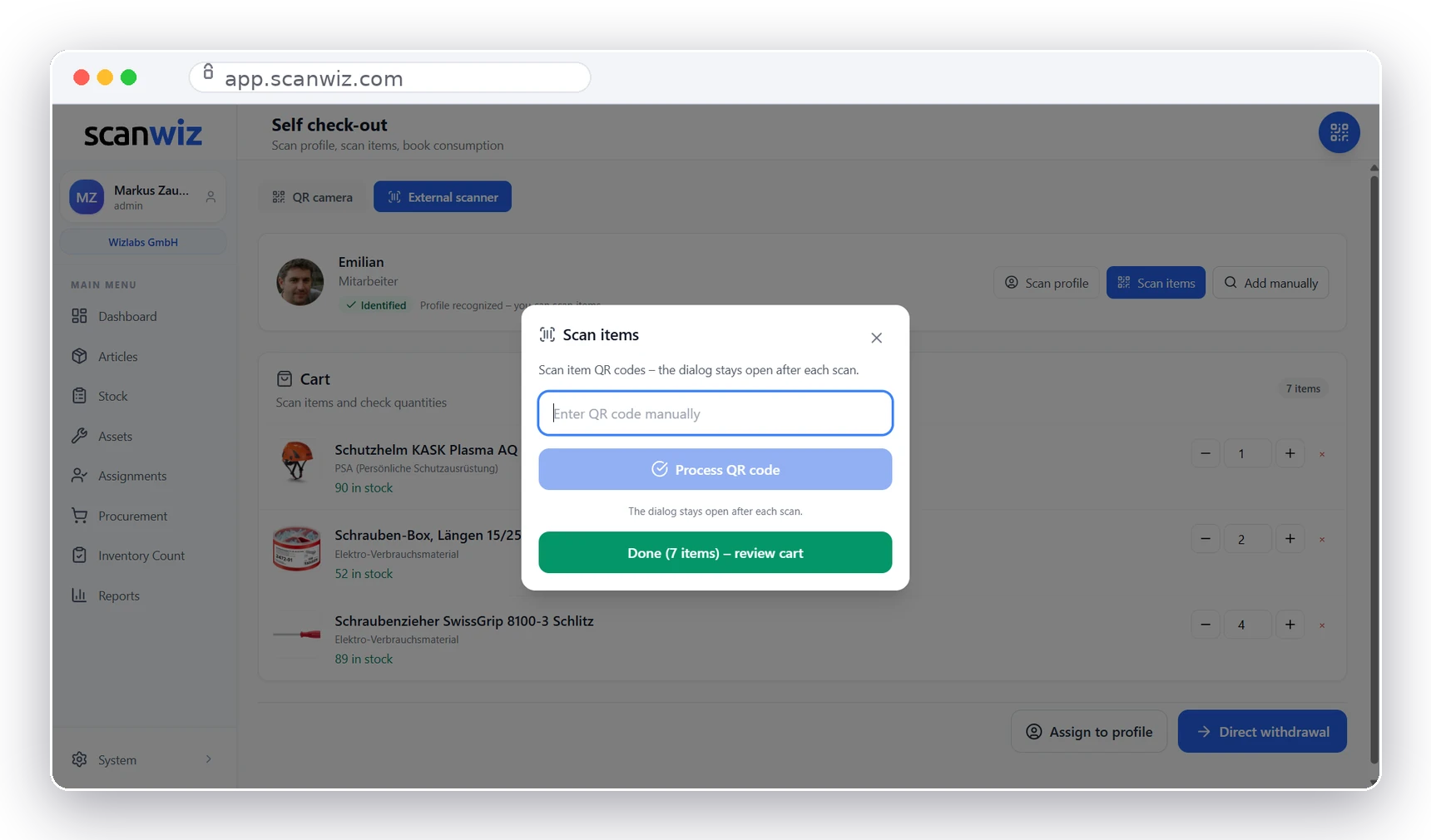
Issue counter
Self check-out with an external scanner
Team members scan their profile, then the items – the cart fills line by line. One click at the end: withdraw directly or assign to the profile. Ideal for workshops, material issue and warehouse counters.
- Identify the profile by QR – no login needed
- Cable or Bluetooth scanner connected as a keyboard
- Correct quantities in the cart, then book them together
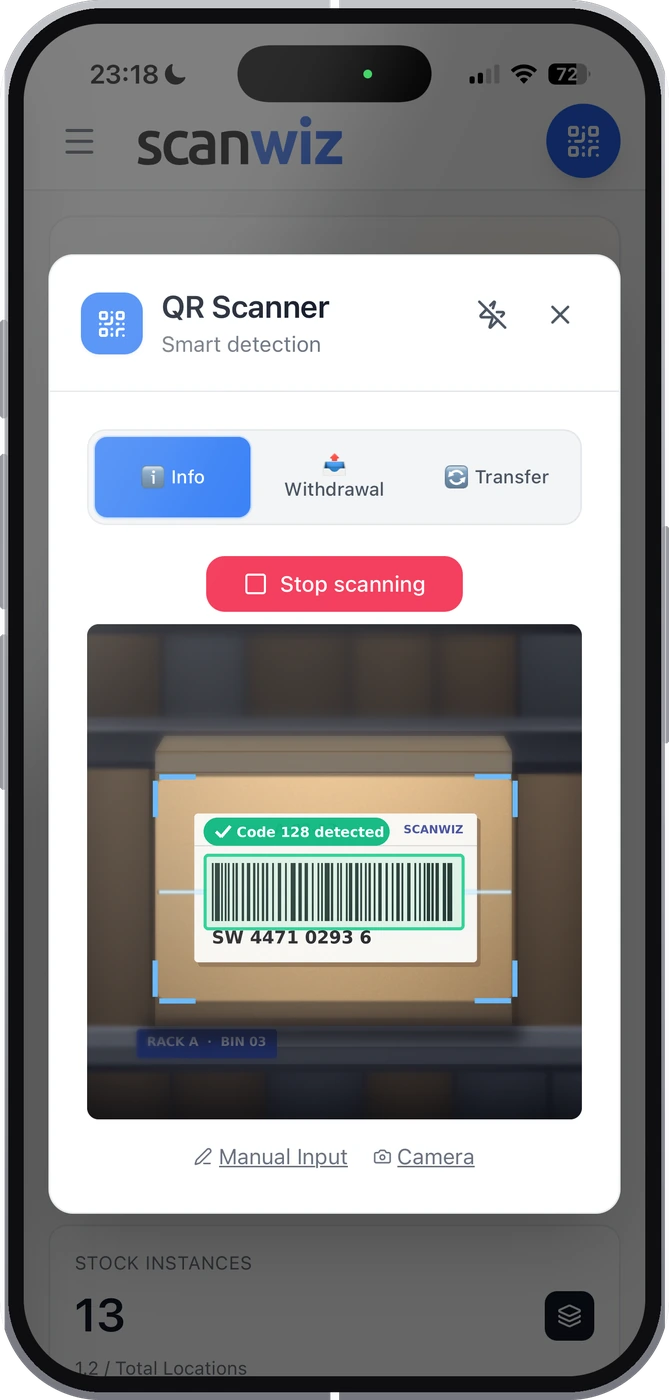
Mobile
The camera you are carrying anyway
Open the app, choose a mode, scan. Info shows stock and location for the item, Withdrawal books it out, Transfer moves it. Without a connection everything is captured locally and synced later.
- Three modes: Info, Withdrawal, Transfer
- Manual entry as a fallback for damaged labels
- Scan offline, sync automatically
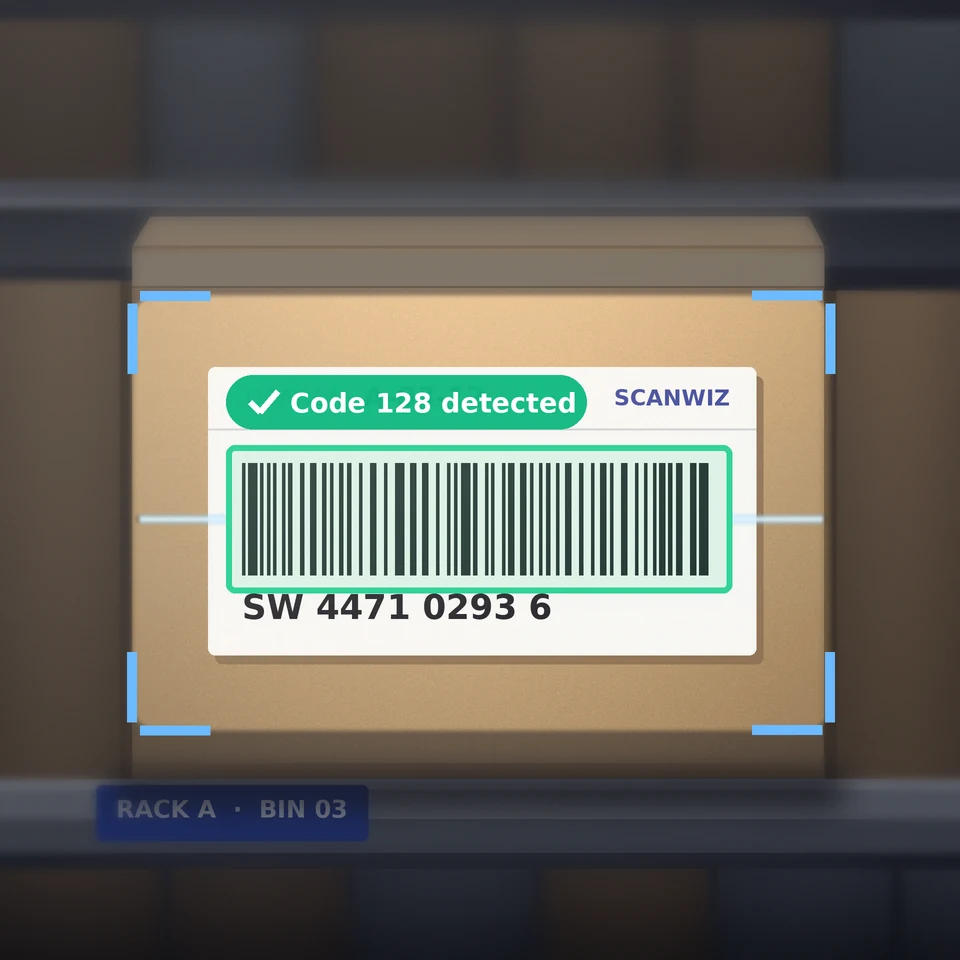
Batch scanning
Twenty items, one pass
During goods receipt or stocktaking the scan dialog stays open after every code. You work through the pallet, Scanwiz counts along – everything is booked in a single step at the end.
Traceability
Every scan keeps a record.
Two seconds of scanning turn into a complete booking record. Exactly what gets asked for during stocktaking, an audit or a recall.
Scanning the batch number and expiry date too? For batch articles Scanwiz asks which batch you are booking from – with expiry date, days remaining and traceability down to the person.
to batch managementFrequent questions
Answered briefly.
Which barcodes and QR codes can Scanwiz read?
Scanwiz recognises the common 1D codes such as EAN-13, EAN-8, UPC, Code 128, GS1-128, Code 39 and ITF-14, as well as 2D codes such as QR Code, Data Matrix, PDF417 and Aztec. The scanner detects the code type automatically – you do not have to select anything beforehand.
Do I need a special barcode scanner?
No. The camera on your smartphone or tablet is enough. If you already use hardware scanners, you can keep them: devices that register as a keyboard (keyboard wedge, via USB or Bluetooth) work directly in the web app through the “External scanner” input.
What happens if an item does not have a code yet?
Then you assign one. Scanwiz generates QR labels for exactly that, which you print yourself and attach to the item or the bin. Alternatively you buy conventional barcode labels, stick them on and store the code on the object – from then on it works like any other.
Can I scan several items in a row?
Yes. In batch scanning the dialog stays open after every code and the cart keeps filling. You correct quantities in the overview at the end, and everything is booked together.
What is documented with a scan?
For every booking Scanwiz stores the time, user, item, quantity and location as well as – where maintained – batch, serial number and project. All movements can be analysed and exported at any time.
Do I need RFID or NFC instead of barcodes?
For most stores in trades, practices and workshops, no. Barcodes and QR codes are cheap and readable with any smartphone; NFC pays off where labels rub off quickly – in the Scanwiz app for iOS and Android, you link NFC tags directly to equipment. UHF RFID pays off mainly for very large volumes. A detailed comparison with costs and use cases is in the guide RFID vs barcode.
Over 250 customers already trust Scanwiz
Ready for less warehouse admin and more time for the work that matters?
Start free and with no obligation – no credit card, no risk. Or let us walk you through Scanwiz in a personal demo.
4.9 out of 5 stars from over 120 verified customer reviews



