
Inventory management app for iPhone & Android
Inventory management app: your stockroom in your pocket.
Goods receipt, withdrawals, tool issuing and stocktakes by scan – right at the shelf, in the van or in the practice. The Scanwiz app reads barcodes with your phone camera, counts stock even without signal and shows the office every booking instantly.
iOS · Android · Camera scan · Handheld scanner · Offline stocktake
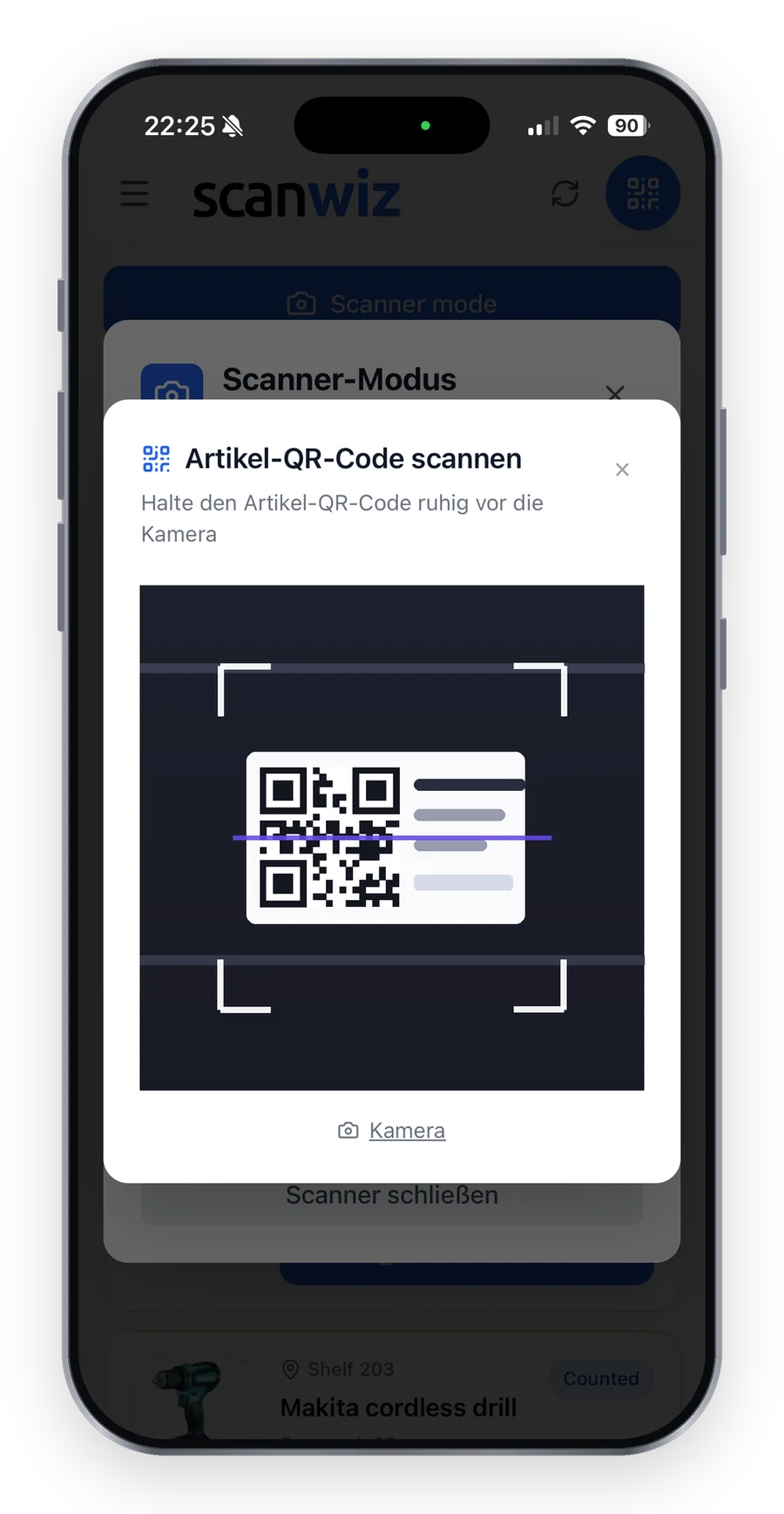
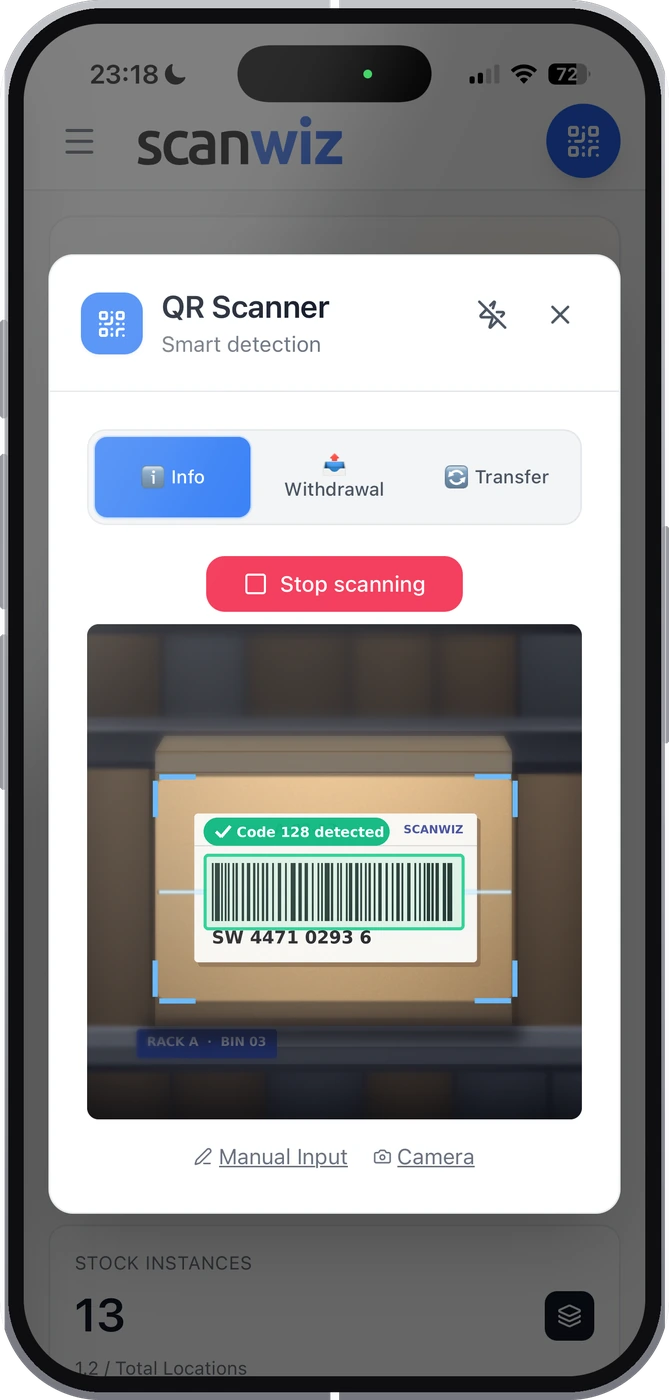
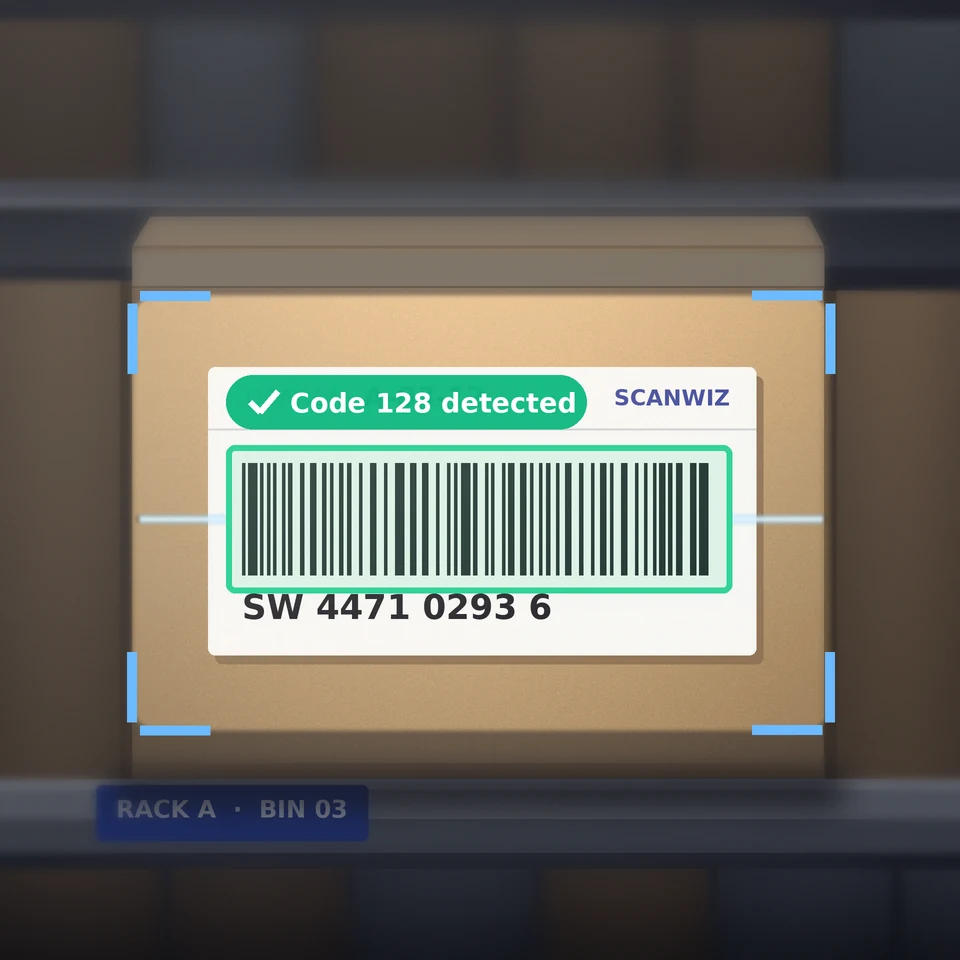
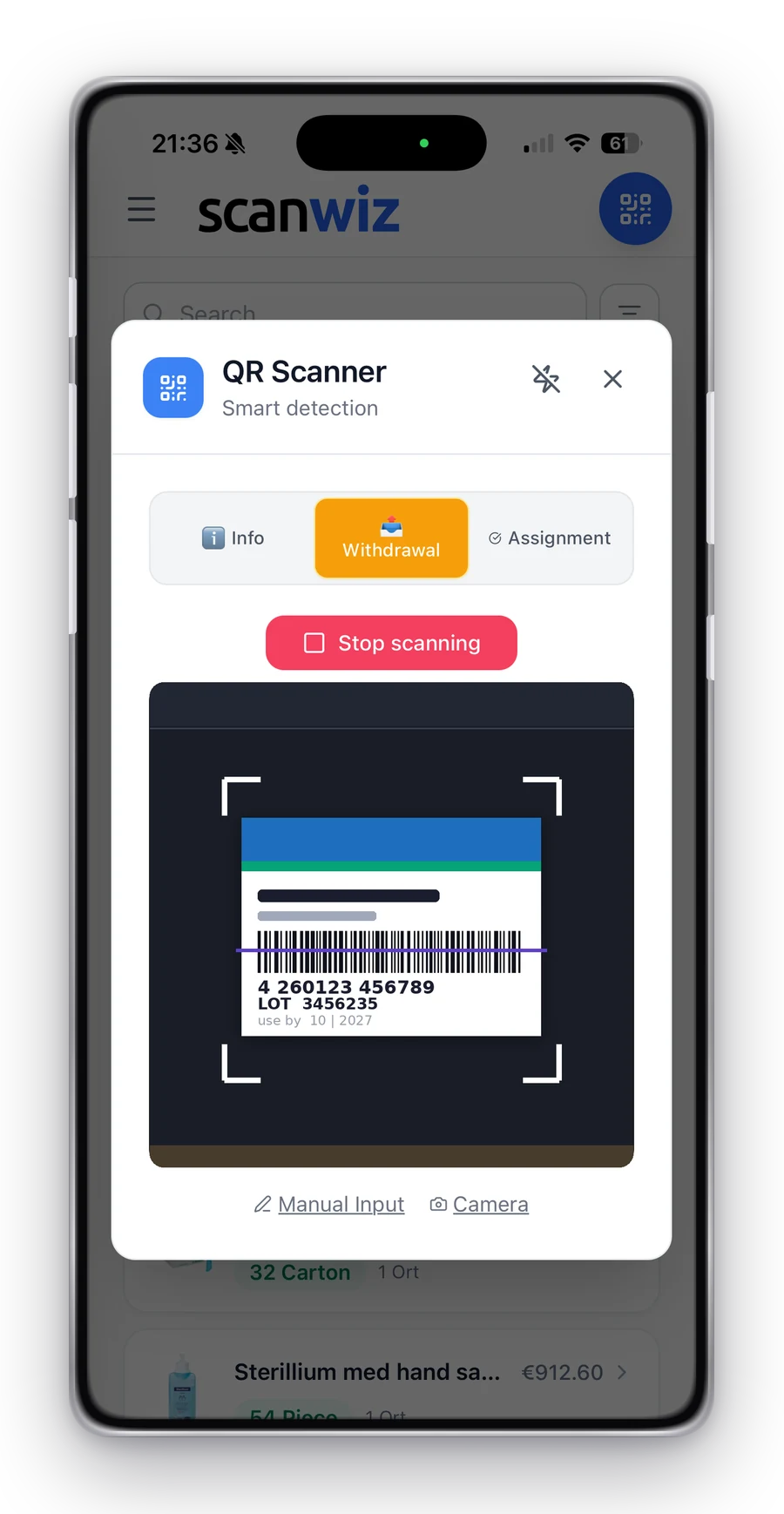 Scan detected · withdrawal booked
Ready offline
iPhone & Android
Scan detected · withdrawal booked
Ready offline
iPhone & Android
In short
An inventory management app turns your smartphone into a barcode scanner for your stock. Instead of paper slips and Excel, everyone books goods receipts, withdrawals, transfers and stocktakes right at the shelf – and stock levels are instantly up to date for everyone. Scanwiz runs as an app on iPhone and Android and in the browser on your computer. Both work on the same stock: whatever is scanned in the stockroom, the office sees at the same moment.
App tour
Three tasks that count every day.
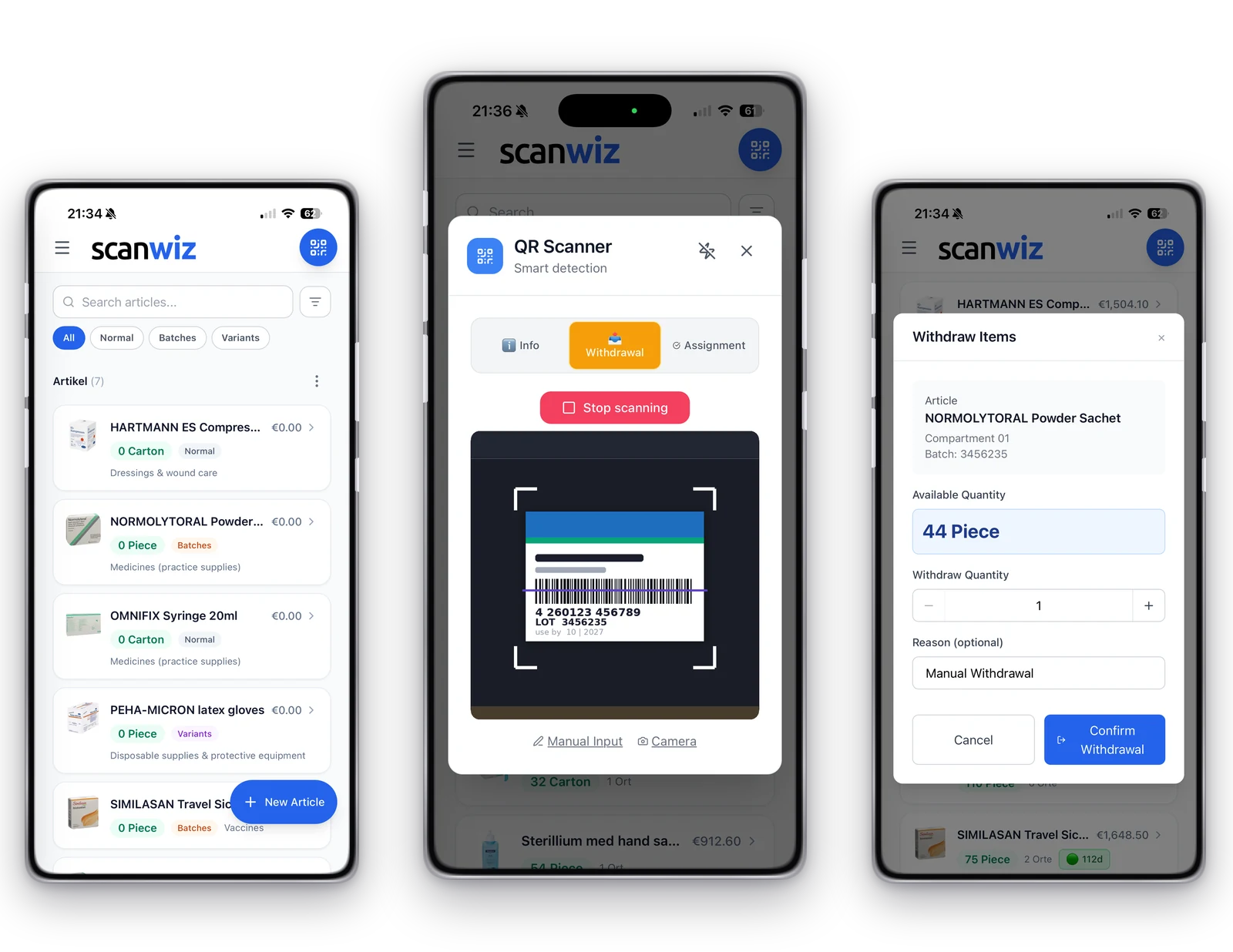
Tap a task and see what it looks like in the Scanwiz app. Real screens, no illustrations.
Scanning
Camera, handheld scanner or tablet – your choice.
The app reads QR codes, Data Matrix, Code 128 and EAN – including the barcodes already printed on many manufacturer packages.
Phone camera
For everyone who carries a smartphone anyway: open the app, put the code in the viewfinder, done. No extra hardware, no cables.
Ideal for: withdrawals on the go, job sites, stocktakes
Handheld scanner
Via USB or Bluetooth – for many scans in a row, for example at goods receipt or at the tool store counter.
Ideal for: goods receipt, large stocktakes, issuing
Tablet as a station
Fixed at the stockroom exit: with SelfCheckOut, employees scan their profile first, then the item – without anyone standing next to them.
Ideal for: tool issuing, material stores, practices
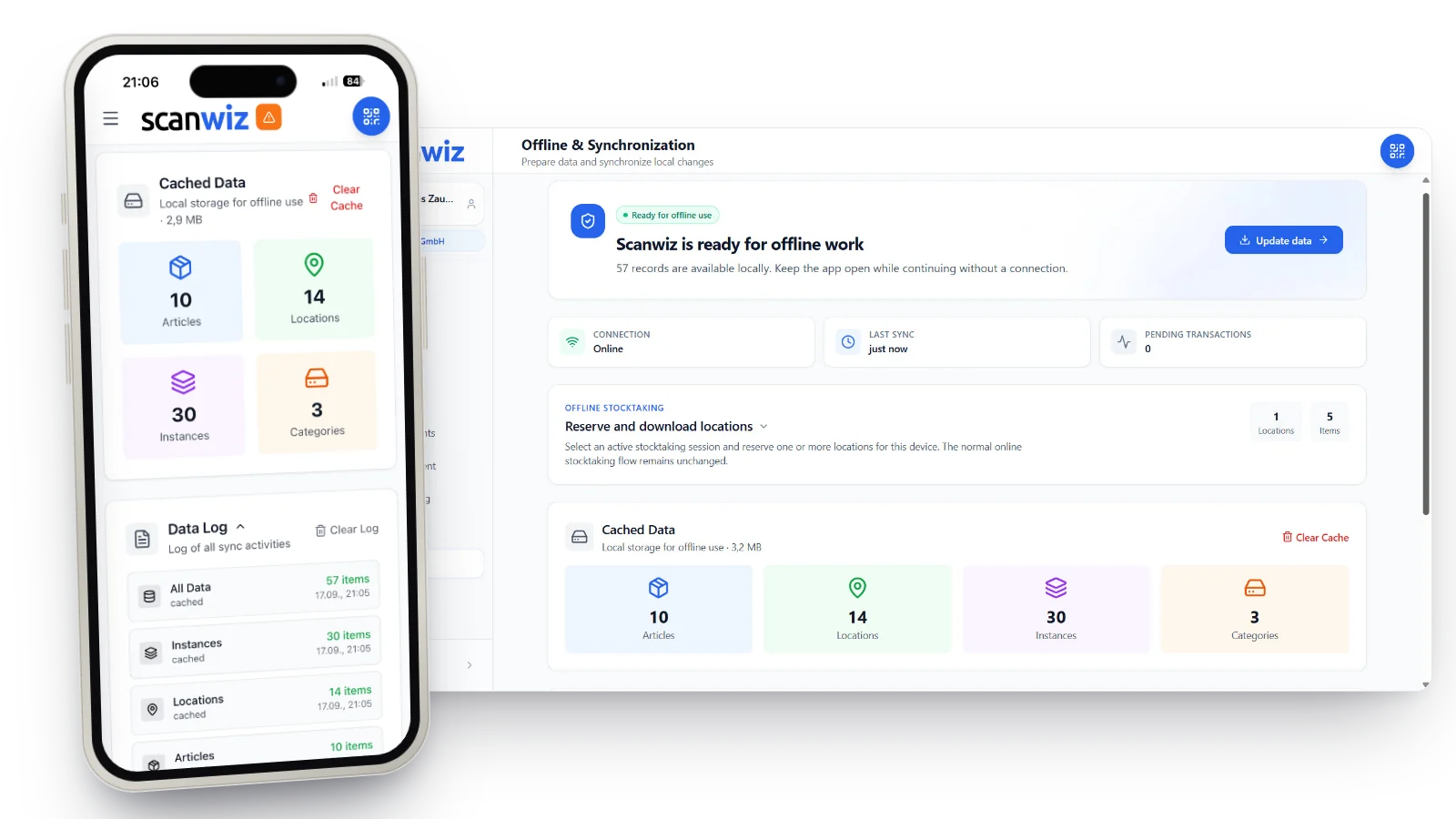
Offline mode
No signal in the basement? Counting goes on anyway.
Basement stores, outdoor stores, site containers: for a stocktake you open the app once with a connection and reserve the locations you want to count. Then you count as usual – every booking is queued on the device and synced as soon as there is signal again.
- Already included in the Starter plan
- Status always visible: ready offline, queued, synced
- Afterwards, work continues online as normal
No labels on shelves and items yet?Our free generator creates up to 100 QR codes or Data Matrix codes as a print-ready PDF.
Create QR labelsTwo industries, one principle
Where the app makes the difference.
On the job site and in the medical practice, the stock is rarely where the computer is. That is exactly what an inventory management app is made for.
Construction & trades
Materials and tools – on the job site too
In the van, in the container, in the workshop: whoever takes something scans it. So the office knows which materials were used and where the hammer drill is right now – without calling the site.
- Issue tools to employees, vehicles and job sites
- Withdraw materials per job site or project
- Below minimum stock, the item lands on the shopping list
Medical practice, care & lab
Consumables with batch and expiry date
Gloves, cannulas, vaccines: items are scanned on withdrawal, Scanwiz books them out and shows what expires soon. Reordering happens before the shelf is empty – not when someone happens to notice.
- Batches and expiry dates per delivery (from Growth)
- Variants such as glove sizes with their own stock
- Shopping list grouped by supplier
Inventory management for medical practices · batch management
App check
What does your inventory app need to do?
Select what matters to you. We will tell you honestly what Scanwiz covers – and where another tool is the better choice.
Your result
–
Tap on the left what your app needs to do.
Getting started
Three steps to your inventory management app.
No IT project, no hardware order. Most businesses are scanning on day one.
Get the app
Download Scanwiz from the App Store or Google Play and sign in with your account. The trial runs for 14 days, no credit card.
Add items
Import your existing Excel list and set up locations. Print labels from Scanwiz – or create them with our free generator.
Invite your team
Invite your colleagues – as many as you like, at no extra cost. From then on, everyone books by scan and the stock is right.


Customer voices
What businesses say after switching.
4.9 out of 5 stars from over 120 verified customer reviews.
“We have noticeably professionalised our maintenance materials management and made it far more transparent. Clean handling of variants in particular (e.g. sizes, versions and standards for PPE and dimensions for C-parts) reduces mix-ups and ensures reliable traceability every day. Continuous stock documentation has cut search times and made material flows easier to plan. Support also responds quickly and pragmatically – a real relief for the whole team.”
 Moritz WinterbachWinterbach Engineering
“Since introducing Scanwiz, we have a much better grip on materials management: stock is always traceable, withdrawals and goods receipts are documented properly, and the reports support our replenishment and deployment planning. Day to day it saves noticeable time, cuts back-and-forth between warehouse, job site and workshop, and makes processes more reliable for the whole team.”
 Sedat BernaEggersmann Bau
“Scanwiz makes managing consumables and PPE noticeably easier. With barcode scanning we record goods in and out in seconds and always keep track of stock and storage locations. The simple stocktaking that works during normal operations, without bringing everything to a halt, is especially helpful. The system runs stably and reliably – and we save noticeable time on documentation and reordering every month. A clear recommendation for trade and industrial businesses that want to keep their materials store under control.”
 Stefan KapseLaumann Zimmerei- und Bedachung
Preise
What does the inventory management app cost?
The price depends on the number of items managed – not on headcount. Users and locations are unlimited on every plan, so everyone in the business can scan without the bill growing.
- Unlimited users
- Unlimited storage locations
- Variant management
- Assignments
- Stocktaking features
- Offline mode
- Everything in Starter
- Self-checkout
- Batch management
- Purchasing & orders
- Reporting
- Personal onboarding
- Scanwiz full version
- Scanwiz AI Connect (MCP)
- Material requests
- Organisational units
- Single Sign-On
- REST API access
Try any plan free for 14 days · no credit card · cancel monthly · prices excl. VAT
Want to compare first?Eleven inventory management apps, from free apps to ERP – with prices, data location and app finder.
to the app comparisonFAQ
Inventory management app – quick answers.
What is an inventory management app?
An inventory management app is a smartphone app you use to book stock movements by scan: goods receipt, withdrawal, transfer, tool issuing and stocktake. The data goes straight into the same database the office sees on the computer. Scanwiz combines the app for iPhone and Android with a web app for the computer.
Does the app run on iPhone and Android?
Yes. The Scanwiz app is available on the App Store and Google Play, for smartphones and tablets. iPhone and Android users work in the same team on the same stock.
Do I need a barcode scanner?
No. The smartphone camera is enough to scan QR codes, Data Matrix, Code 128 and EAN. If you do many scans in a row, for example at goods receipt, you can also use a USB or Bluetooth handheld scanner.
Does the app work without internet?
There is an offline mode for stocktakes: you open the app once with a connection, reserve the locations and then count without signal. Bookings are queued on the device and synced as soon as there is reception again. Offline mode is already included in the Starter plan.
How much does the inventory management app cost?
The download is free. The app is used with a Scanwiz plan from €45 per month for up to 500 items, with unlimited users and storage locations. You can try every plan free for 14 days, no credit card.
Can several employees scan at the same time?
Yes. Users are unlimited in every plan, and everyone works on the same stock at the same time. During a stocktake, several people can count different locations in parallel.
How do my items get into the app?
Fastest via Excel import on the computer. Then print labels for items and locations from Scanwiz or create them with the free QR label generator. Existing manufacturer barcodes such as EAN can be used as well.
Is the app GDPR-compliant?
Yes. Data is hosted in Germany and processed in compliance with the GDPR. We provide a data processing agreement.
Is the app suitable for medical practices?
Yes. Consumables can be managed with batch and expiry date, variants such as glove sizes have their own stock, and the shopping list shows what needs reordering. Batch management is included from the Growth plan.
What can the app not do?
Scanwiz does not write invoices, handle shipping or come with ready-made connectors to online shops or accounting. An ERP or merchandise management system is the right tool for that. For your own integrations, the Business plan includes a REST API.
Over 250 customers already rely on Scanwiz
Your stockroom, now in your pocket too.
Download the app, connect your team and try Scanwiz free for 14 days with your own stock – no credit card. Or get a personal demo of the app.
4.9 out of 5 stars from over 120 verified customer reviews



