
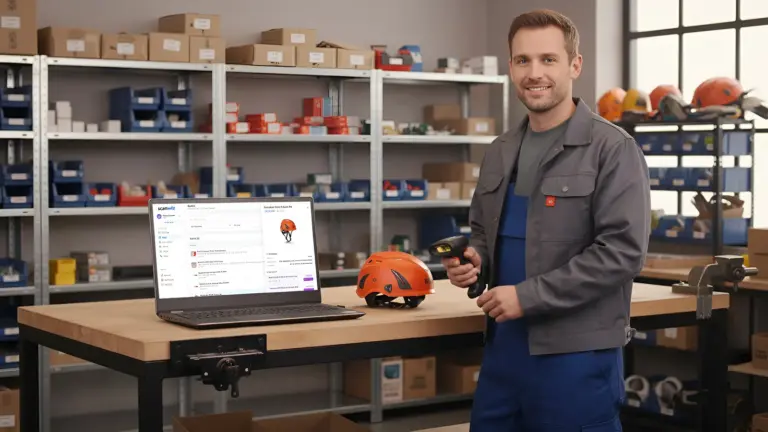
How to organize a warehouse sounds like a weekend of boxes and a label printer. In reality, tidying up is the smaller part. What matters is that the store stays organized afterwards – that every item has a fixed place, everyone can find that place and withdrawals don’t end in chaos.
This guide shows you in ten steps how to set up a workshop, materials or trade stockroom so that search time disappears. You’ll learn how to name bin locations sensibly, what the 5S method brings, how to include vehicles as stock locations and which mistakes undo the order again after three weeks.
Key points at a glance
- Declutter first, then put away: anything nobody has touched for a year needs to be reviewed.
- Every item needs a fixed, named bin location – for example “Workshop · Rack 3 · Bin 12”.
- What’s used often sits close to the issue point and at grip height. Heavy items go at the bottom.
- Order only lasts with rules: whoever takes something books it. Whatever comes back goes back to its place.
Contents: Warning signs · Principles · 10 steps · Bin location codes · 5S method · Vehicle stock · 4-week plan · Checklist · Common mistakes · With Scanwiz · FAQ
Signs your warehouse needs reorganizing
A disorganized store rarely announces itself all at once. It shows up in small moments that add up over the year:
- Staff regularly ask: “Where do we keep the …?”
- Material is reordered even though there’s still some – it just wasn’t found.
- Only one person really knows their way around. When they’re on holiday, work stalls.
- During the stocktake, boxes turn up that nobody knew about.
- Broken tools sit among working ones.
A simple calculation shows the cost: if eight employees spend ten minutes a day looking for material, that’s around 290 hours a year over 220 working days. At an hourly rate of 55 euros, that’s more than 16,000 euros – before counting duplicate purchases and downtime on site.
Principles: how a well-organized warehouse is built
Fixed or random bin locations?
Before you put anything away, decide how items get their place:
| Fixed locations | Random (dynamic) locations | |
|---|---|---|
| Principle | Each item always has the same place | Goods go wherever there’s free space |
| Advantage | Everyone finds everything, even without a system | Space is used optimally |
| Disadvantage | Empty bins stay reserved for their item | Without software, nobody finds anything |
| Suitable for | Workshop, trade and practice stockrooms | Large warehouses with warehouse management software |
For most small and medium-sized businesses, fixed locations are the right choice. They work even when someone walks into the store without a phone.
Store by pick frequency
Not every item matters equally for walking distances. Roughly split your items into three groups: fast movers used daily, items needed weekly and rarely used items. Fast movers go close to the issue point and into the grip zone between hip and shoulder height. Rarely used items can sit at the back, at the very top or at the very bottom.
Safe and ergonomic
Heavy goes at the bottom, light at the top. Respect the permitted shelf and bay loads of your racking and keep escape routes clear. Racking loaded by forklifts also needs regular inspection – the intervals are covered in the guide equipment inspection intervals.
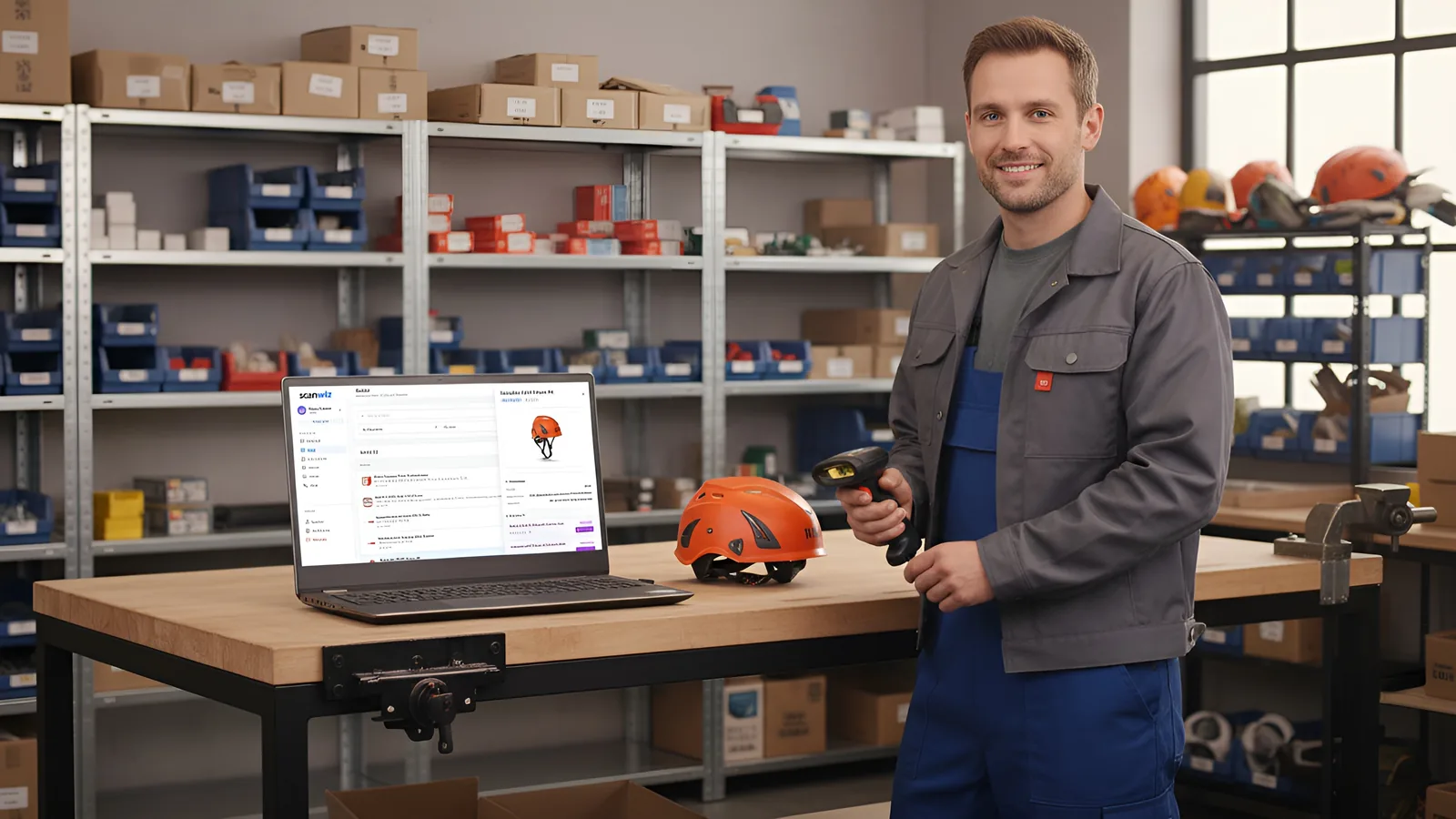
How to organize a warehouse in 10 steps
1. Declutter
Before anything gets a new place, remove what doesn’t belong in the store: broken items, duplicates, leftovers from old projects and goods nobody has touched for over a year. Sort into three boxes: keep, repair, go. What goes is sold, disposed of or returned to suppliers. Every item less is a bin that doesn’t need to be searched, counted and maintained.
2. Record your stock
Note what’s left: item name, quantity, unit, supplier. It doesn’t have to be perfect – what matters is a list you can work with. The easiest way is to record stock directly in a system rather than building a spreadsheet first and transferring it later.
3. Define categories
Create a few clear categories everyone in the business understands: for example fixings, electrical, plumbing, safety, tools, consumables. Ten unambiguous categories are better than forty where nobody knows whether the wall plug belongs under “fixings” or “installation material”.
4. Create zones
Divide the space into areas with a clear purpose. Typical zones are:
- Goods receipt: new deliveries are checked here before being put away.
- Main store: racking with fixed locations for all items.
- Issue point: fast movers and a picking area for jobs and sites.
- Quarantine area: broken items, returns and goods with unclear status – clearly separated from the rest.
The quarantine area is often forgotten. Without it, the broken angle grinder ends up back on the shelf – and with the next technician.
5. Name bin locations clearly
Every rack, level and bin gets a unique name – following one system across the whole store. What that can look like is shown in the bin location codes section below.
6. Put away by pick frequency
Now every item goes to its place: fast movers in the grip zone near the issue point, related items side by side – such as wall plugs next to the matching screws. Items with expiry dates are stored so that the oldest stock is at the front (first in, first out).
7. Label everything
Label both the locations and the items. The bin label shows the location code and the item stored there. With a QR code on the label, one scan with a phone shows stock and location. You can create labels for free with the QR code label generator. Whether barcode, QR code or NFC fits better is covered in RFID vs barcode.
8. Set rules for withdrawals and returns
Even the best store decays without rules. Define them – and put them up on the door:
- Whoever takes something books it immediately.
- Tools are assigned to a person, site or vehicle when issued.
- Whatever comes back goes back to its place – not onto the next free surface.
- Defects are reported and put in the quarantine area.
How issuing and returns work without paper is covered in the guide stop tool loss.
9. Set minimum stock levels
An organized store knows when something is running out. Set a reorder point for every important item. How to work out the right value is shown in the guide reorder point formula with a free calculator.
10. Check regularly
Plan a short tidy-up round – for example 15 minutes every Friday: is everything in its place? Are there empty bins, misplaced parts, new items without a location? Once a year, the stocktake confirms that stock and system match. With cycle counts spread across the year, it even becomes routine instead of a major project.
Bin location codes: a system everyone understands
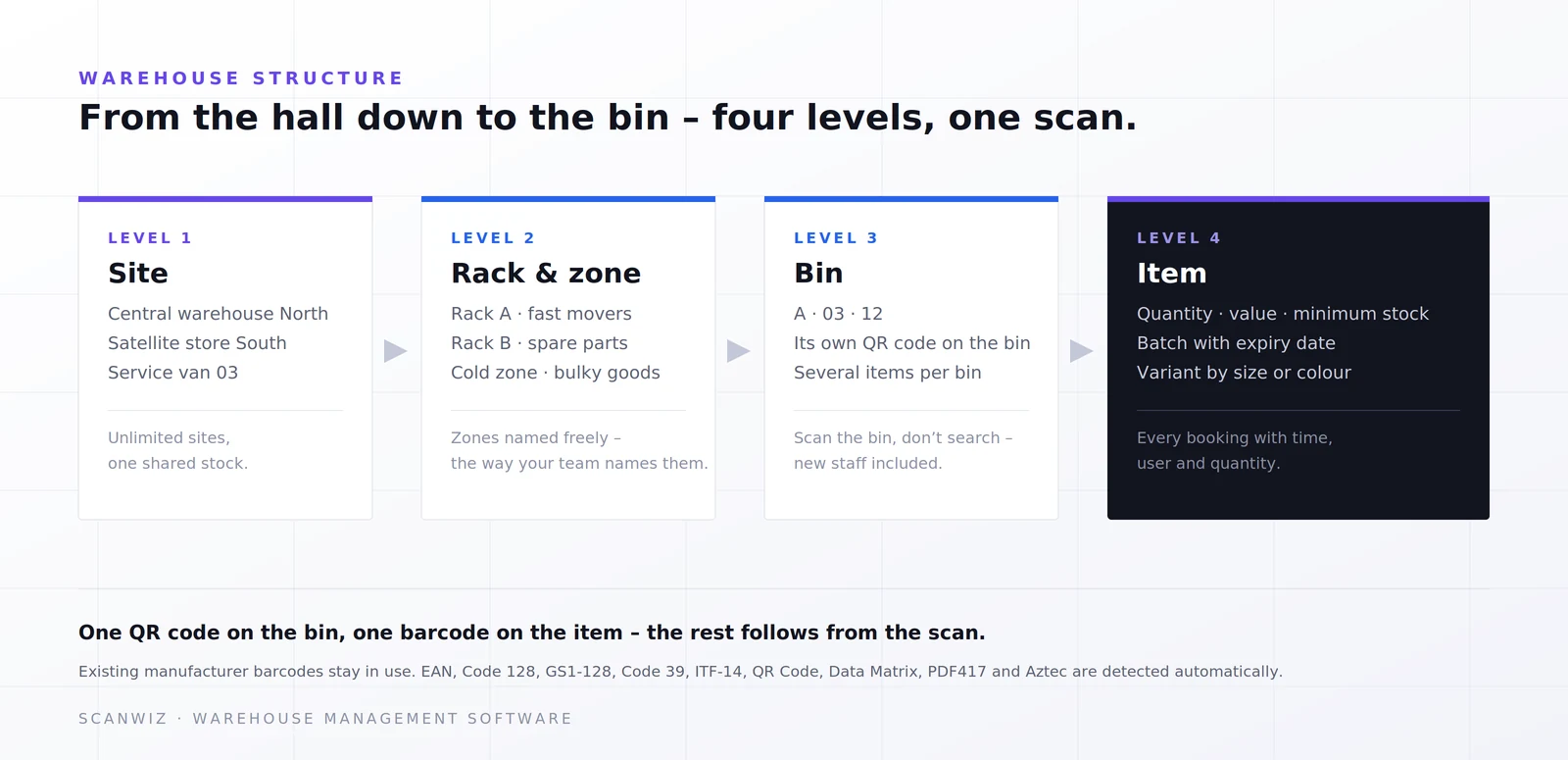
A good bin location code is short, logical and readable from left to right – from coarse to fine. For most businesses, three to four levels are enough:
| Level | Example | Meaning |
|---|---|---|
| Site | WKS | Workshop store (as opposed to OUT, VAN-07 …) |
| Rack or zone | R03 | Rack 3 |
| Level | L2 | Second level from the bottom |
| Bin | B12 | Bin 12 |
| Location code | WKS-R03-L2-B12 | Workshop, rack 3, level 2, bin 12 |
A few rules make the system robust: always number in the same direction – for example left to right and bottom to top. Use leading zeros (R03 instead of R3) so lists sort correctly. And never assign a code twice, not even across sites.
The 5S method: order that lasts
The 5S method comes from Japanese manufacturing and is a proven framework for lasting order in the workplace. It fits small stores and workshops too:
| Step | Meaning | In the store |
|---|---|---|
| Sort | Remove what isn’t needed | Declutter, separate broken items |
| Set in order | A fixed place for everything | Location codes, zones, grip zone |
| Shine | Keep clean and inspect while cleaning | Clean racking, spot damage |
| Standardize | Define rules | Labels, withdrawal and return rules |
| Sustain | Stick to the rules and improve | Weekly tidy-up round, stocktake |
You complete the first three steps during the big clear-out. The last two decide whether the store still looks the same in three months.
Special case: vehicles and site containers
In the trades, the store doesn’t end at the workshop door. Every van and every site container is its own small store – and needs the same rules:
- Standard kit: define for each vehicle type what should always be on board – with quantities.
- Fixed places in the vehicle: racking systems with labeled compartments and cases help just as much as in the main store.
- Own stock: manage each vehicle as a separate location. Then you know which tool is in which van.
- Fixed restock round: restock vehicles from the main store at set times – with a packing list based on what’s missing.
How vehicles work as stock locations and as targets for tool issues is shown on the tool management page.
Plan: an organized warehouse in four weeks
You can’t organize a store on the side in one afternoon, but it doesn’t take a major project either. For a typical workshop or trade store, a four-week plan works well while the business keeps running:
| Week | Task | Result |
|---|---|---|
| Week 1 | Declutter, separate broken items, roughly record stock | Only what’s really needed |
| Week 2 | Define categories, zones and location codes, rearrange racking | A plan of what goes where |
| Week 3 | Put away by pick frequency, label bins and items | Every item in its place |
| Week 4 | Introduce rules, brief the team, set minimum stock levels | Order that holds day to day |
Important: involve the team from the start. Whoever helps decide where the screws go will put them back there. And whoever knows why there’s a quarantine area won’t put the broken grinder back on the shelf.
Checklist: organize your warehouse
- ☐ Broken, duplicate and long-unused items removed
- ☐ Stock recorded with item, quantity and supplier
- ☐ No more than ten to fifteen clear categories defined
- ☐ Zones for goods receipt, store, issue point and quarantine set up
- ☐ Location codes assigned using one consistent scheme
- ☐ Fast movers close to the issue point and at grip height
- ☐ Heavy items at the bottom, shelf and bay loads respected
- ☐ Bins and items labeled, ideally with a QR code
- ☐ Rules for withdrawals, returns and defects defined and posted
- ☐ Minimum stock levels set for important items
- ☐ Vehicles and containers recorded as separate locations
- ☐ Weekly tidy-up round in the calendar
6 common mistakes when organizing a warehouse
- Putting away without decluttering: the old chaos just moves to new racking.
- Too many categories: if people have to think about where something belongs, they put it anywhere.
- Only the racks labeled: without bin labels, nobody knows which item goes in which bin when putting away.
- No space for new items: new items land “temporarily” on the floor and stay there.
- No rules for returns: whatever comes back stays on the workbench instead of in its bin.
- One-off action instead of routine: without a weekly tidy-up round, the old state is back within a few weeks.
Organize your warehouse with Scanwiz: order that maintains itself
Racking and labels create order; inventory software keeps it. In Scanwiz, you map your store the way it’s actually built:
- Four levels: site, rack or zone, bin and item – unlimited locations, satellite stores and vehicles in one structure.
- QR code on the bin: new team members find the location by scanning instead of asking. Existing manufacturer barcodes stay in use.
- Freely named zones: fast movers, cold zone, quarantine – whatever your business calls them.
- Relocate by scanning: when an item moves, it’s booked at the rack – not by shouting across the store.
- Reorder point per location: whatever runs low appears on the shopping list automatically.
- Excel import: bring in items, categories, locations and quantities from your existing list.
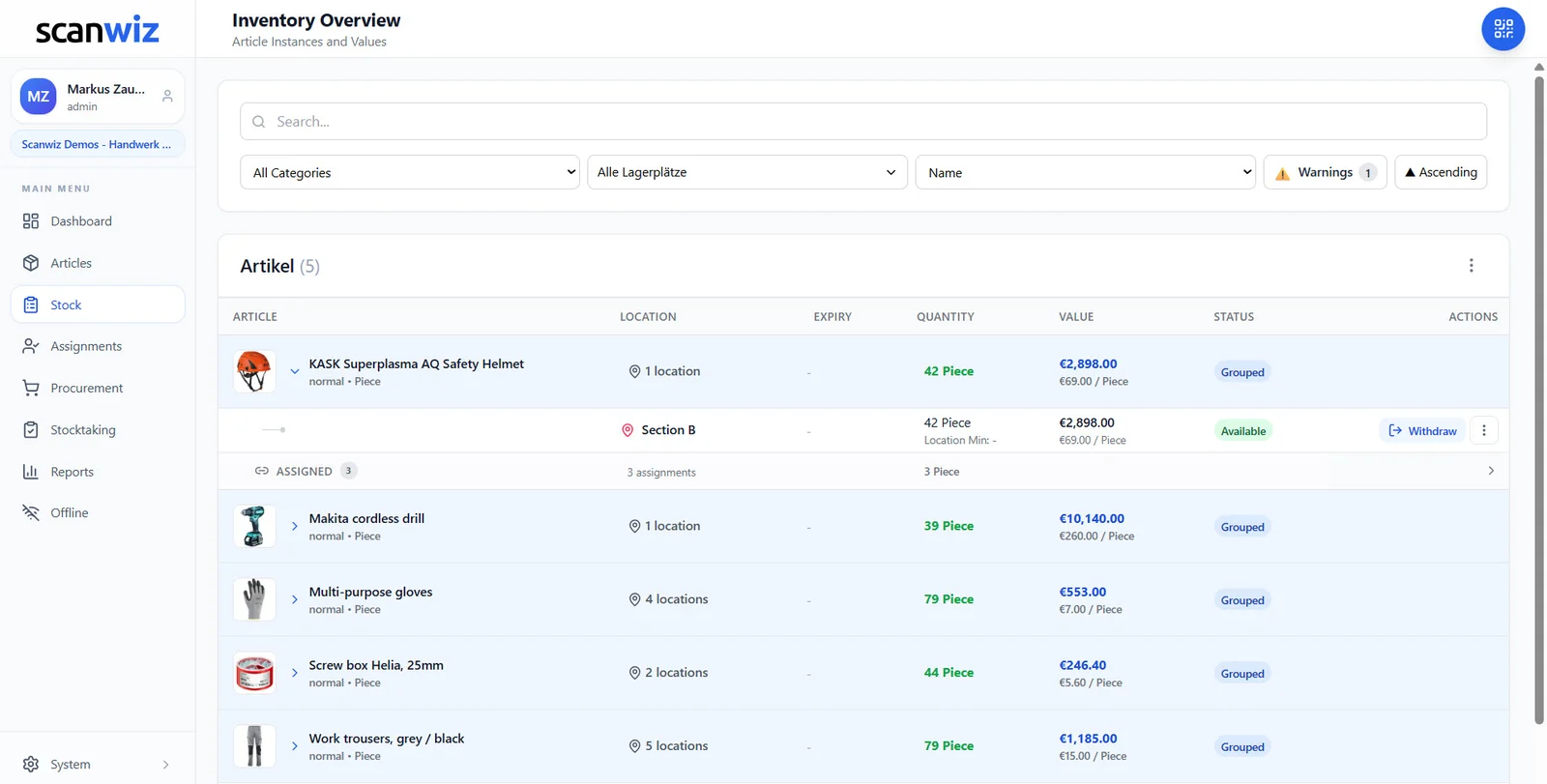
Bookings are made with the inventory management app right at the rack, even offline. All details are on the warehouse management software page. More than 250 businesses use Scanwiz, rated 4.9 out of 5 stars from more than 120 reviews on Capterra, GetApp and G2.
Frequently asked questions about organizing a warehouse
Where do I start when organizing a warehouse?
With decluttering. Only once broken, duplicate and long-unused items are removed is it worth defining categories, zones and locations and putting things away. Buying new racking first just moves the old chaos around.
Fixed or random bin locations – which is better?
For workshop, trade and practice stores, usually fixed locations: each item always has the same place, and everyone finds it even without a system. Random locations use space better but only work with warehouse management software that knows every location.
How should I name bin locations?
With a code from coarse to fine, for example site, rack, level and bin: WKS-R03-L2-B12. Always number in the same direction, use leading zeros and never assign a code twice.
Where should frequently used items be stored?
Close to the issue point and in the grip zone between hip and shoulder height. Heavy items go at the bottom; rarely used items can sit further back, at the very top or at the very bottom.
How do I keep the warehouse organized for good?
With clear rules for withdrawals and returns, a short weekly tidy-up round and stock that’s booked while working rather than updated in the evening. The 5S method provides a proven framework for this.
Do I need software to organize my warehouse?
Not for the clear-out. To keep order, know your stock and reorder in time, inventory software helps enormously – especially once several people, sites or vehicles are involved.
Conclusion: organizing a warehouse takes a weekend – keeping it organized is a habit
Declutter, create zones, name locations, store by pick frequency and label everything: that’s how you organize a warehouse. To keep it that way, you need rules for withdrawals and returns, a short tidy-up round every week and stock that’s booked as you work. Start with the area where people search the most – the effect is usually noticeable within days.
Updated October 2026.
More than 250 customers already trust Scanwiz
A store where everyone finds everything.
Create locations, add QR codes to bins and book every movement by scanning. Start for free or let us show you in a personal demo how it would look in your store.



