
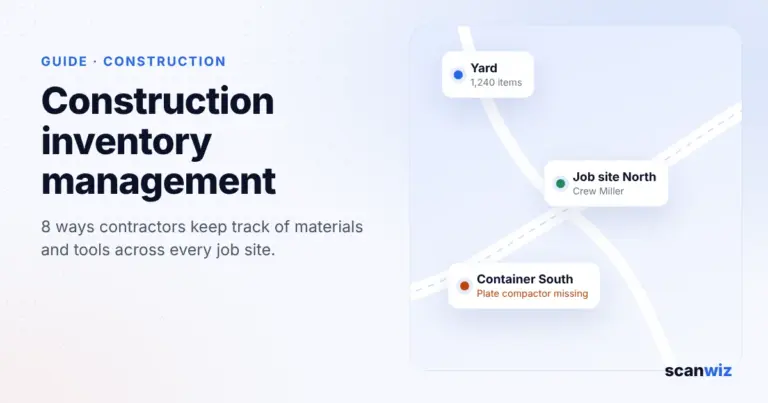
Construction inventory management is harder than in almost any other industry. Materials and tools are never in one place: some sit in the yard, some in site containers, some on the back of vans and trucks, and the rest on five job sites at once. Every crew has its own habits, foremen order by phone or shout, and when the plate compactor is on the wrong site, someone drives an hour across town.
This guide shows where materials and tools get lost in construction, what unplanned trips cost your business per year, and the eight levers contractors use to get their materials back under control – from the yard to the site container. It ends with a plan to make the switch in 30 days.
Key takeaways
- In construction, material is spread across the yard, containers, vehicles and job sites. Good construction inventory management treats each of these as a location in its own right.
- The biggest cost drivers are unplanned trips, duplicate purchases and tools left behind or lost on site.
- The most effective levers: label tools and check them out by scan, book material straight to the job site, request material digitally from site and set minimum stock for small materials.
- In practice, the solution has to run on a phone, work without signal and be explainable to any crew in five minutes.
Contents: Where material gets lost · Trip calculator · 8 ways · Rollout in 30 days · Common mistakes · With Scanwiz · FAQ
Where materials and tools get lost in construction
Contractors rarely lose material in one place but in many small ones. The overview shows the typical flows and the four points where things go wrong most often:
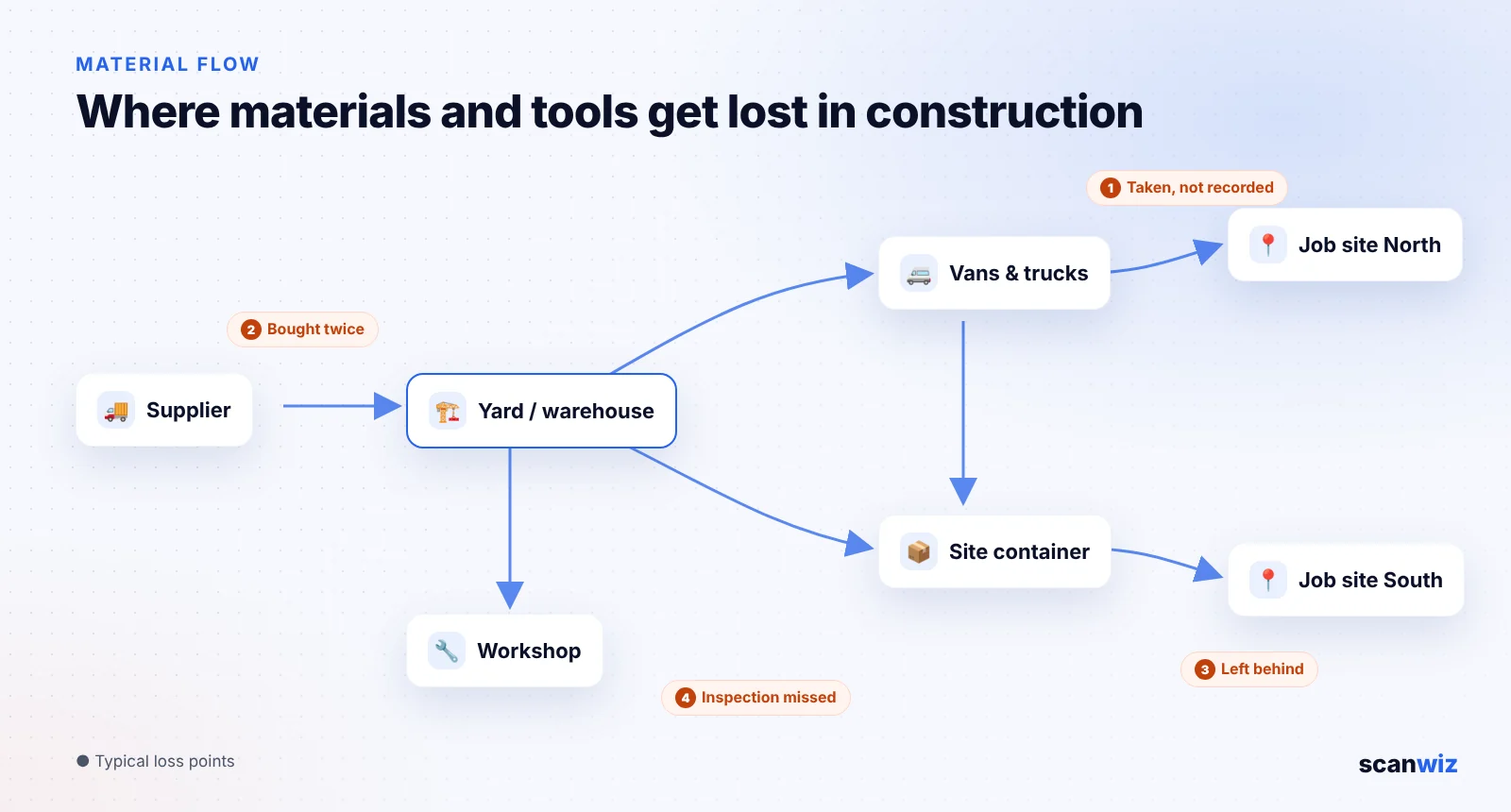
- Unrecorded withdrawals: material goes from the yard or container to the site without anyone recording it. Stock is wrong, and nobody knows which job the costs belong to.
- Duplicate purchases: because nobody knows there are three boxes of screws in the container, the foreman buys new ones at the builders’ merchant.
- Tools left behind: when a job finishes, equipment is missing, and the search only starts weeks later.
- Missed inspections: power tools, ladders and lifting gear on site need regular inspections. If a tool can’t be found, the deadline passes.
Then there is theft. In a survey by the site security provider BauWatch among 500 people responsible for construction sites in Germany, 80 percent reported at least one theft per year. Our guide to preventing tool loss shows how to reduce losses systematically.
Calculator: what do unplanned material trips cost you?
Theft is visible, trips are not. Every trip to the yard, the supplier or another site because material or a tool is missing costs working time, usually of two people, plus vehicle costs. Enter your figures and see what adds up over a year:
To the yard, a supplier or another site
There, back, searching, waiting
Wages plus employer costs
Unplanned material trips cost you
– per year
- Trips per year–
- Working hours lost–
- Equals 8-hour working days–
- Of which labour–
- Of which vehicle costs–
- Halve the trips and you save–
Most unplanned trips happen because nobody knows what is where, or because needs are reported too late. That is exactly where the 8 ways below come in.
Example values, replace them with your own · Labour = trips × duration × people × hourly cost · Vehicle costs = trips × km × cost per km
For comparison: Scanwiz’s Growth plan costs 145 euros a month, with unlimited users and locations. You’ll find all plans in our pricing overview.
8 ways contractors keep track of materials and tools
1. Treat every place as a location
The yard is not your only stockroom. Containers, vehicles and every active job site are locations too, just without racks. Set them up exactly like that in your inventory system: yard with racks and bins, Container South, Van 3, Job site Lake Street. Only then can you see stock where it really is instead of guessing what is out there.
2. Label tools and check them out by scan
Every tool above a certain value gets an asset number and a durable QR code label. It is scanned at check-out and again at return. On job sites, laminated labels with high error correction work best, with NFC tags as an add-on where wear is heavy. The label finder in our guide to barcode tool tracking shows which label suits which tool.
3. Assign tools to people, vehicles and job sites
A tool without an owner belongs to nobody. Always assign expensive equipment to a person, a vehicle or a job site. For a plate compactor, laser or core drill, a handover with signature makes clear who took the equipment and when. On return, missing accessories stand out immediately.
4. Book material straight to the job site
If small materials leave the yard without being recorded, neither stock levels nor job costing are right. Have withdrawals scanned at the moment they happen, with the job site as the destination. That way you see which material went to which site, and yard stock stays up to date.
5. Request material digitally from site
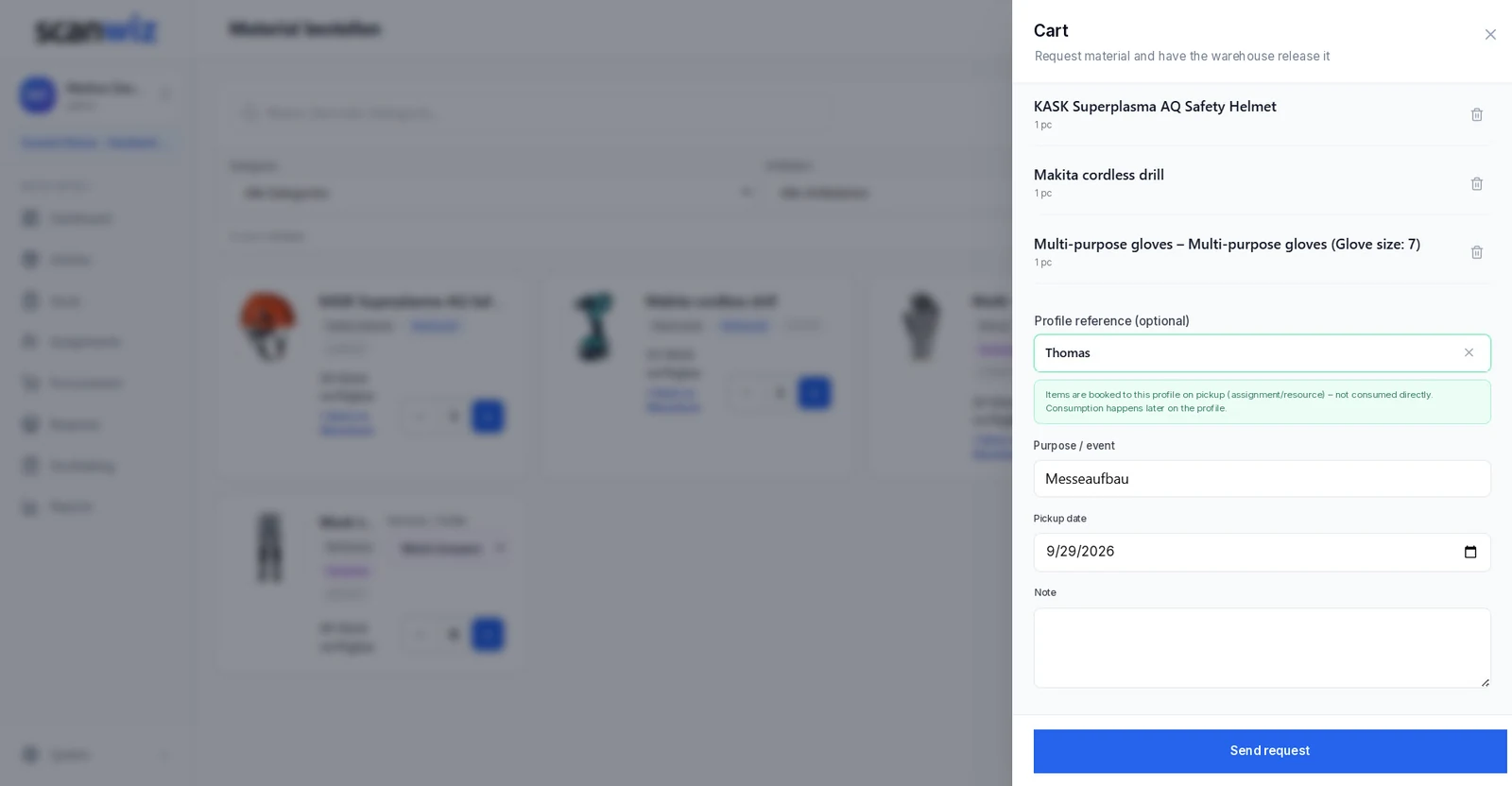
Many trips happen because needs are reported too late or by shouting. Better: the foreman requests material in the app, with quantity, job site and required date. The warehouse picks in batches, and the material rides along on the next scheduled run instead of an extra trip. In Scanwiz, this is done with material requests.
6. Set minimum stock for small materials
Screws, wall plugs, cartridges, cutting discs, gloves: small materials are cheap, but when they run out, the crew stops. Set a minimum stock for the key items in the yard and in each vehicle. When stock drops below it, the item lands on the shopping list. Our guide to the reorder point formula shows how to calculate the right value, and there is more on consumables in managing consumables digitally.
7. Keep working without signal
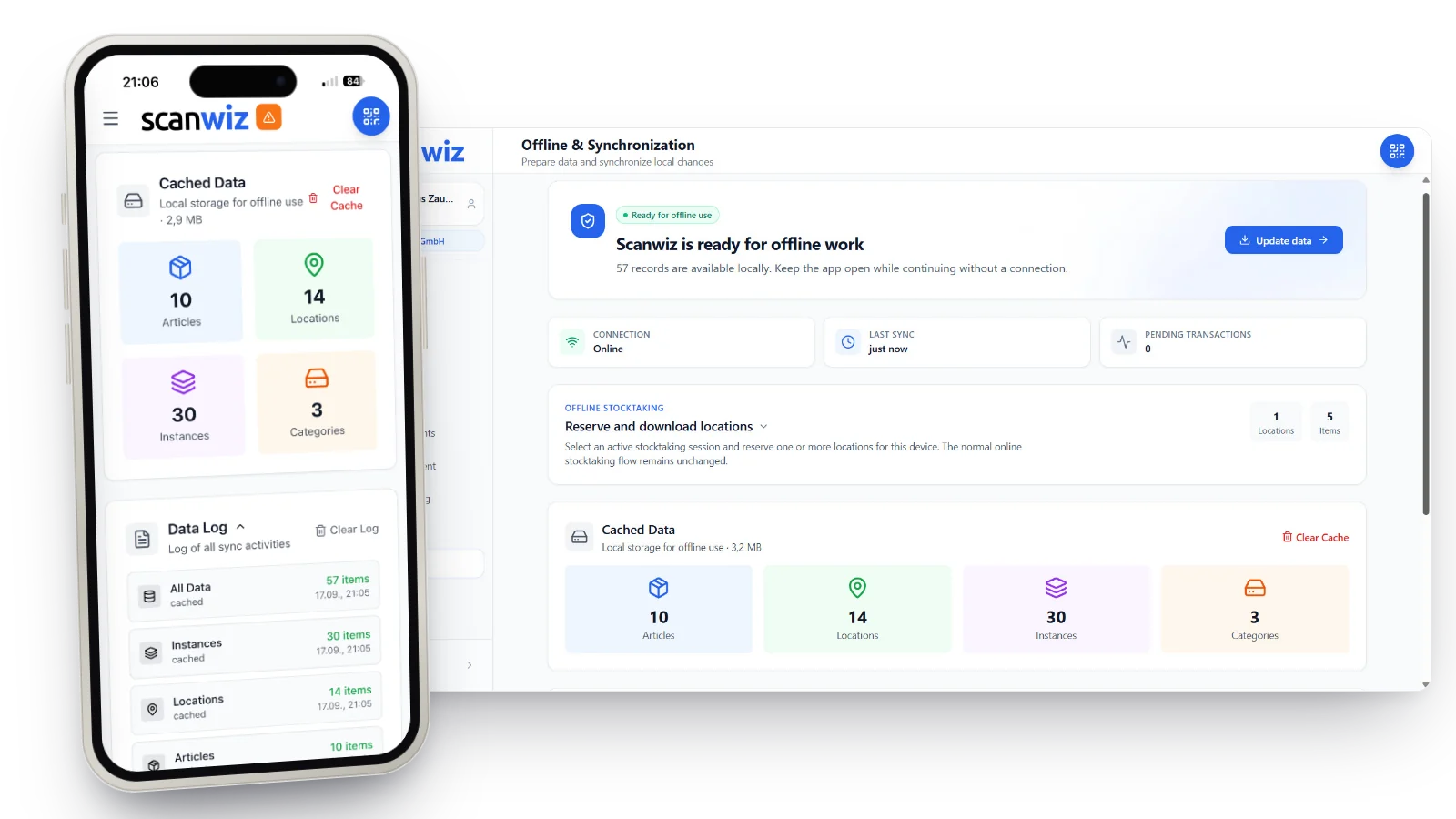
In basements, underground car parks or shell buildings with concrete slabs, reception is often poor. An app that stops working there won’t be used after two days. Make sure scans are stored offline and synced later.
8. Inspections, maintenance and stocktakes in one system
On construction sites, power tools have shorter inspection intervals than in the workshop – in Germany, the guide value under DGUV Regulation 3 is three months. On top come ladders, scaffold parts, lifting accessories and vehicle checks. Store the intervals with each device so you are reminded in time. All intervals are in our guide to equipment inspection intervals. And when the year-end stocktake comes, you count containers, vehicles and sites as well instead of forgetting them.
“Since introducing Scanwiz, we have a much better handle on material management: stock levels are traceable at any time, withdrawals and goods receipts are properly documented, and the reports help us with replenishment and deployment planning. In day-to-day work, this saves noticeable time, reduces back-and-forth between the warehouse, job site and workshop, and makes processes more reliable for the whole team.”
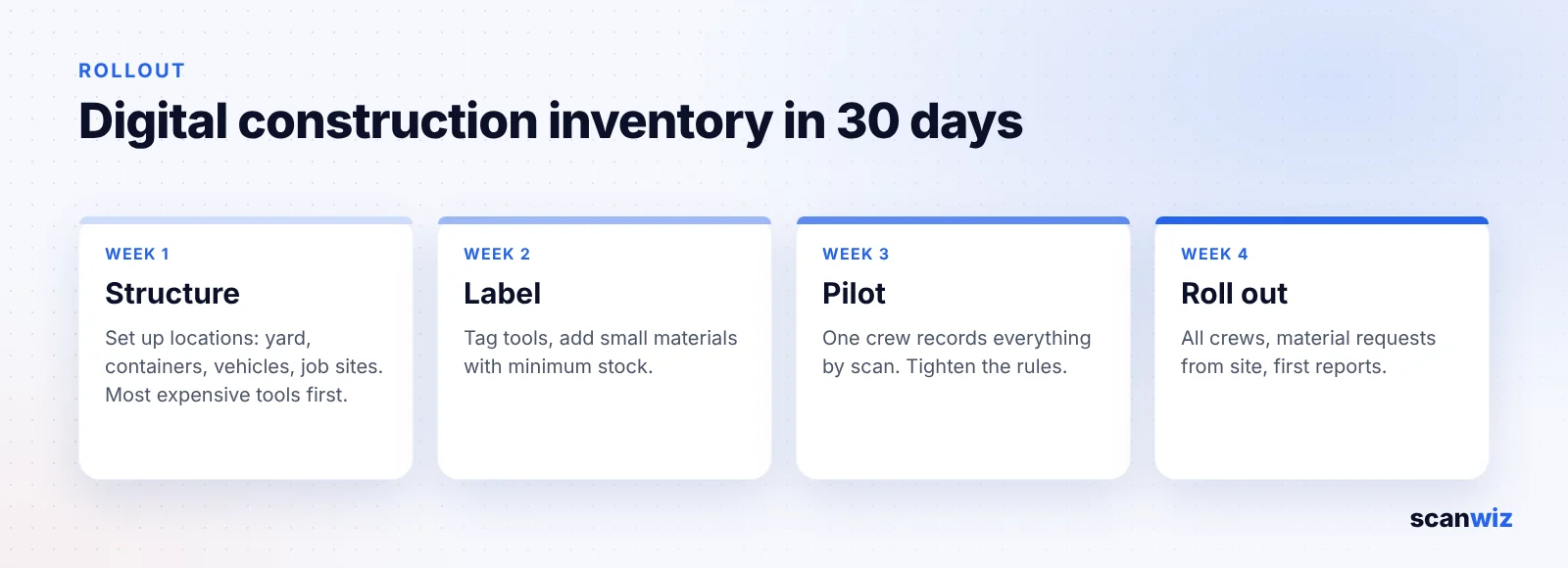
Rollout in 30 days: how to make the switch
The biggest hurdle isn’t the software but everyday reality: crews who have worked by shouting for years and little time for training. With a step-by-step plan, the switch still takes only about a month:
| Week | What happens | Result |
|---|---|---|
| 1 · Structure | Set up locations: yard with racks, containers, vehicles, active job sites. Record tools worth more than about 100 euros and all equipment that needs inspection. | All locations and the key tools are in the system |
| 2 · Label | Print and apply QR labels, add small materials with minimum stock, store inspection intervals. | Every tool is scannable, replenishment is defined |
| 3 · Pilot | One crew records everything by scan for a week: check-out, return, withdrawals to site. | Rules are tested in practice, stumbling blocks are known |
| 4 · Roll out | Brief all crews, start material requests from site, first review of stock and trips. | The whole business works with one system |
Common mistakes in construction inventory management
- Only tracking the yard: containers, vehicles and sites remain blind spots – and that is where most of the stock is.
- Starting too complex: if you try to record every screw on day one, you’ll lose the crews. Start with expensive tools and the most important small parts.
- Recording only in the office: if withdrawals are entered on a PC in the evening, half are missing. Record on the phone, where the material moves.
- No one responsible: a tool that belongs to “the site” belongs to nobody. Every check-out needs a name.
- No return at job completion: plan a scanned return at the end of every job. Whatever is missing is searched for at once, not at the stocktake.
Construction inventory management with Scanwiz
Scanwiz is inventory and materials management for trades, construction and industry. Your team uses the app on their own phones, the office works in the browser. Especially important for contractors:
- Yard, containers, vehicles and job sites as locations, with stock per location.
- Tool management with QR code, barcode or NFC, assignment to people, vehicles and job sites and handover with digital signature. More on the tool management page.
- Withdrawals by scan straight to the job site, even offline.
- Material requests from site to the warehouse in the Business plan.
- Minimum stock and shopping list by supplier for small materials.
- Maintenance and inspections with reminders, for example for electrical safety tests, ladders and vehicles.
- Unlimited users and locations in every plan – every crew can join without counting licences.
Already using a manufacturer’s tool system and wondering whether an independent one fits better? Our comparison Scanwiz vs. Hilti ON!Track helps you decide.
Frequently asked questions about construction inventory management
What is construction inventory management?
Construction inventory management covers everything needed to get building materials, small materials, tools and equipment to the right place at the right time: stock in the yard, containers and vehicles, withdrawals and deliveries to job sites, assigning tools to people, plus reordering, inspections and stocktakes.
How do contractors keep track of tools across multiple job sites?
Most reliably with unique QR code or NFC tags and an app in which every check-out is scanned. Each tool is then assigned to a person, a vehicle or a job site, and a glance at the app shows where it is and when the next inspection is due.
Is construction inventory software worth it for small contractors?
Usually yes, as soon as more than two or three crews work in parallel or tools regularly move between sites. A few avoided trips or one hammer drill you don’t have to replace each month already cover the cost of a simple app. What matters is that it works without a long rollout and without signal on site.
How often must power tools be inspected on construction sites?
It depends on the country and your risk assessment. In Germany, DGUV Regulation 3 gives a guide value of three months for portable electrical equipment on construction sites. Ladders, scaffold components and lifting accessories have their own inspection intervals.
How can I prevent tool theft on job sites?
With a mix of organisation and technology: label tools and record every check-out, lock them in containers or vehicles at night, assign expensive equipment to a responsible person and check stock regularly with spot checks. That way a loss is noticed after days instead of months.
What is the difference between construction inventory management and site logistics?
Site logistics plans deliveries, storage areas and transport on one job site. Inventory management makes sure stock, withdrawals and tools are accurate across all sites, vehicles and the yard. The two go hand in hand: without reliable stock data, deliveries can’t be planned properly.
Conclusion
Construction inventory management rarely fails for lack of will, but because material is in too many places at once. If you treat the yard, containers, vehicles and job sites as locations, label tools and check them out by scan, book withdrawals straight to the site and request material digitally, you save one thing above all: trips. Start with one crew and your most expensive tools. After four weeks, you’ll know where your material is.
Updated November 2026. Inspection intervals are guide values. Your risk assessment, local regulations and the manufacturer’s instructions take precedence.
More than 250 customers already rely on Scanwiz
Materials and tools on every job site, in view.
Check out tools by scan, book material straight to the job site and request supplies digitally. Start for free or book a personal demo to see how it works for your business.


