
Glossary · Warehouse organisation
Best-before date vs. expiry date: what’s the difference?
“Best before”, “use by”, “use before” – three labels, three different meanings. Here you’ll learn what applies once each one has passed, how to recognise them on the pack and how to make sure no date slips by unnoticed in your store.
In brief
For food, the best-before date indicates until when a product retains at least its properties if stored correctly – afterwards it is often still fine to eat. The expiry date, on medicines and medical devices usually given as “use before” or “EXP”, is a fixed limit, by contrast: after it, the product may no longer be used. For highly perishable food, the use-by date (“use by”) applies.
Best-before and expiry date: definition
Both labels say something about shelf life, but with very different degrees of obligation. The best-before date is a promise from the manufacturer: until that day, the product keeps its taste, texture and quality if stored correctly. After that, it can still be perfectly fine.
The expiry date is a safety limit. Once it has passed, there is no longer any guarantee that a medicine works or that a sterile product is sterile. On medicine packs it usually appears as “EXP” or “use before”.
The labels at a glance
| Label | Found on | Once passed |
|---|---|---|
| “best before” | Food | Check – often still usable |
| “use by” | Highly perishable food such as minced meat | Do not use any more |
| “use before”, EXP | Medicines | Do not administer or dispense any more |
| Hourglass symbol ⌛ with date | Medical devices, sterile goods | Do not use any more |
| “storable until”, manufacturing date | Adhesives, silicone, mortar, paints | Workability no longer guaranteed, warranty may be void |
Example: emergency kit at a medical practice
Until now, the kit was opened once a month and every date read individually. Since the items have been tracked with batch and expiry date, the overview shows in advance:
- Items in the emergency kit
22 - Expiring in the next 30 days (red)
1 - Expiring in 30 to 90 days (yellow)
2 - Replacement ordered before anything expires
3 items
The monthly check now takes five minutes instead of half an hour, and in an emergency nothing is guaranteed to have expired. Which areas of a practice should be checked and how often is covered in the guide Stocktaking at a medical practice.
How to keep expiry dates under control
- Date on the batch, not on the item: every delivery has its own date. More under Batch.
- Pick by FEFO: what expires first goes out first – see FIFO and FEFO.
- Warn in advance: 30 to 90 days before expiry is usually enough to use up, return or reorder.
- Adjust stock levels: if something regularly expires, you’re storing too much. Lower the minimum stock.
4 common mistakes with expiry dates
- Treating best-before and expiry dates the same. Expired medicines and medical devices must not be used any more – there is no leeway here.
- Only checking at the stocktake. Once a year is too rare. Expiring goods have to be spotted before then.
- Not booking out expired items. Disposing of items without booking creates shrinkage in the system.
- Overlooking the manufacturing date. Construction chemicals often only show the manufacturing date plus storage life in months – work it out and note it down.
Expiry dates with Scanwiz
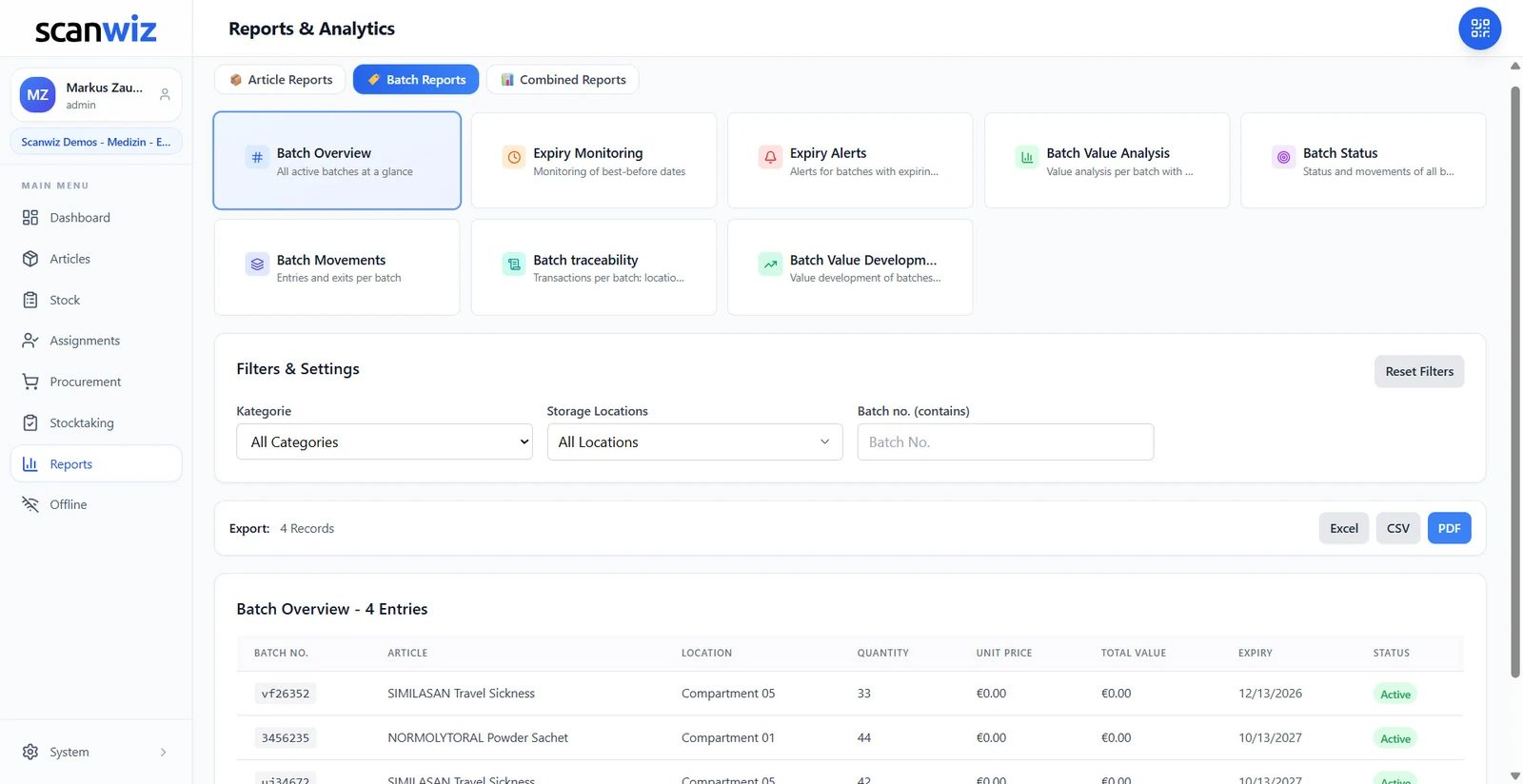
From the Growth plan, you track every batch in Scanwiz with its own expiry date. Instead of a date, you see the remaining shelf life in days with a traffic light from green through orange to red. You set the warning threshold per batch, expiry warnings appear on the dashboard, and reports show what will expire in the coming weeks.
- Expiry date per batch
- Remaining shelf life in days with traffic light
- Warnings on the dashboard
- Reports and export as Excel, CSV or PDF
Frequently asked questions about best-before and expiry dates
What is the difference between a best-before date and an expiry date?
The best-before date indicates until when a food retains at least its properties; afterwards it is often still usable. The expiry date on medicines and medical devices is a fixed limit after which the product may no longer be used.
What does “use by” mean?
That is the use-by date for highly perishable food. Once it has passed, the food should no longer be eaten and may no longer be sold.
What does the hourglass symbol mean?
On medical devices, the hourglass marks the use-by date. After that, the product may no longer be used.
Can medicines still be used after the expiry date?
In practice, no. Expired medicines may no longer be placed on the market, and their efficacy and safety are no longer guaranteed. They are removed and disposed of.
Sources & methodology
- Regulation (EU) No 1169/2011 (Food Information to Consumers Regulation) – best-before and use-by dates.
- Sections 8 and 10 of the German Medicines Act (AMG) – expiry date. gesetze-im-internet.de, accessed 10 Nov 2026.
- ISO 15223-1 – Symbols for the labelling of medical devices.
- Example: sample practice, created by Scanwiz.
Updated November 2026 · Scanwiz editorial team · not legal advice
More from the glossary
Related to best-before and expiry dates.
Over 250 customers already trust Scanwiz
From the glossary to your warehouse – Scanwiz does the rest.
Minimum stock, stocktakes, inspection intervals and batches run automatically in Scanwiz as part of your daily work. Try it free for 14 days with your whole team – no credit card required. Or let us show you everything in a personal demo.


